# Move an appointment with drag and drop
If you want to move an appointment to a different time within the same Block, you can do so through drag and drop.
Here's a video overview:
Step by step instructions:
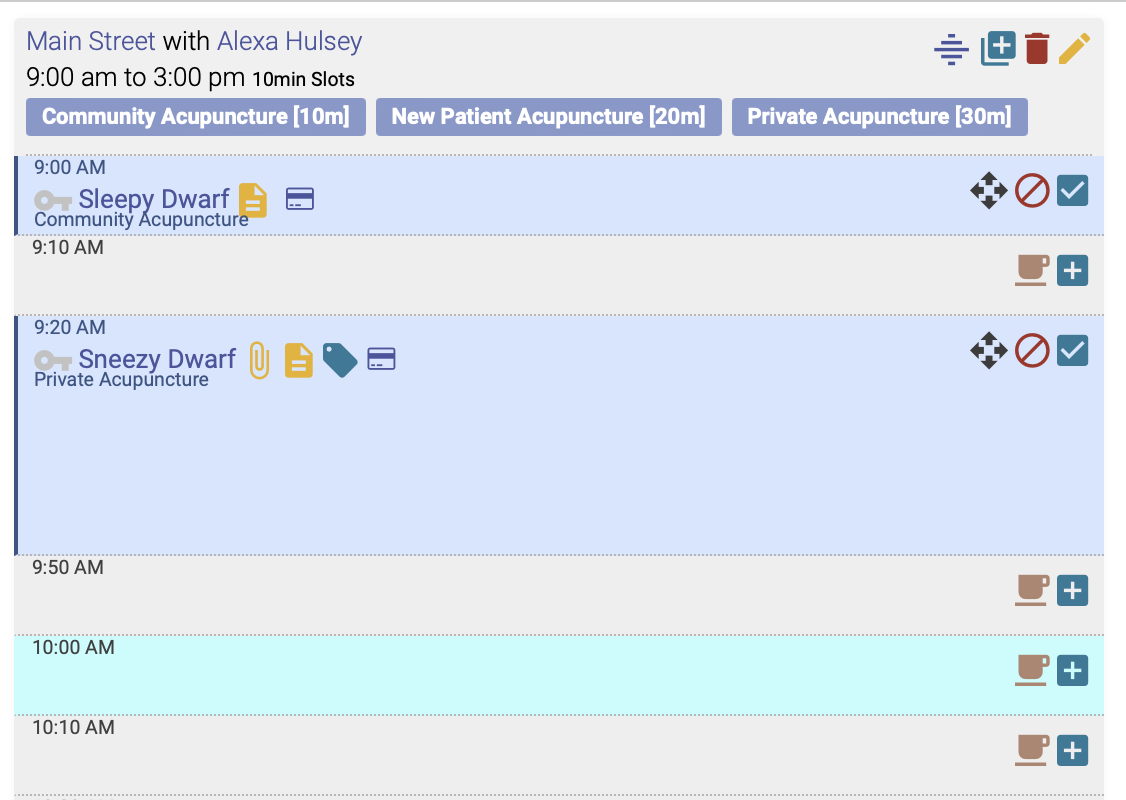
1. Highlight the preferred appointment time by clicking anywhere in the space next to the time on the schedule
2. Click the arrow buttons next to the name of the patient whose appointment you want to move:
[](https://help.openacu.net/uploads/images/gallery/2024-07/VWA4Xt20c3iutiCA-drag-and-drop-1.png)
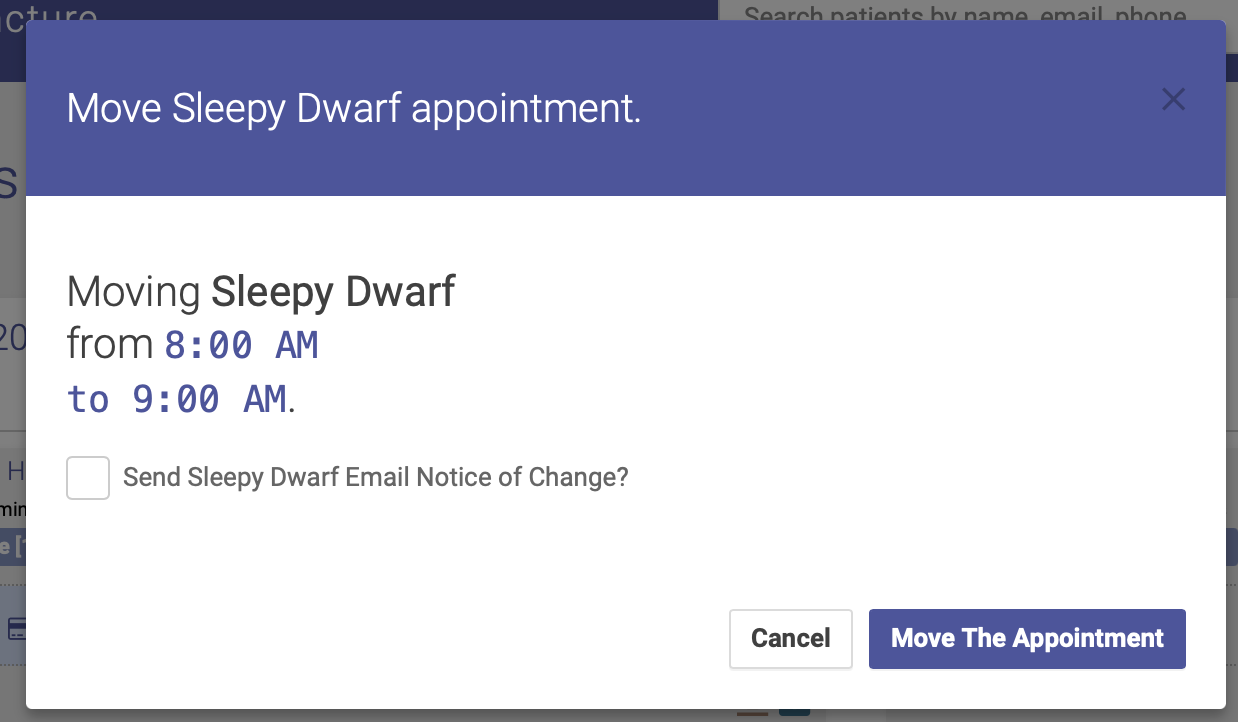
3. A popup box will appear, asking you to confirm the change:
[](https://help.openacu.net/uploads/images/gallery/2024-07/ZU73vjLaeq0IgCRZ-drag-and-drop-2.png)
4. Click Move the Appointment, and voila! The appointment has now been moved to a new time. You also have the option of emailing the patient a notice of the change.