# Telehealth
To create a Telehealth Service, you’ll add it on your Services page. Check the “Telehealth” checkbox, and then enter your telehealth URL in the Telehealth Link box. Open ACU does not provide a telehealth URL. You will need to provide your own from a service such as Zoom or Doxy.
[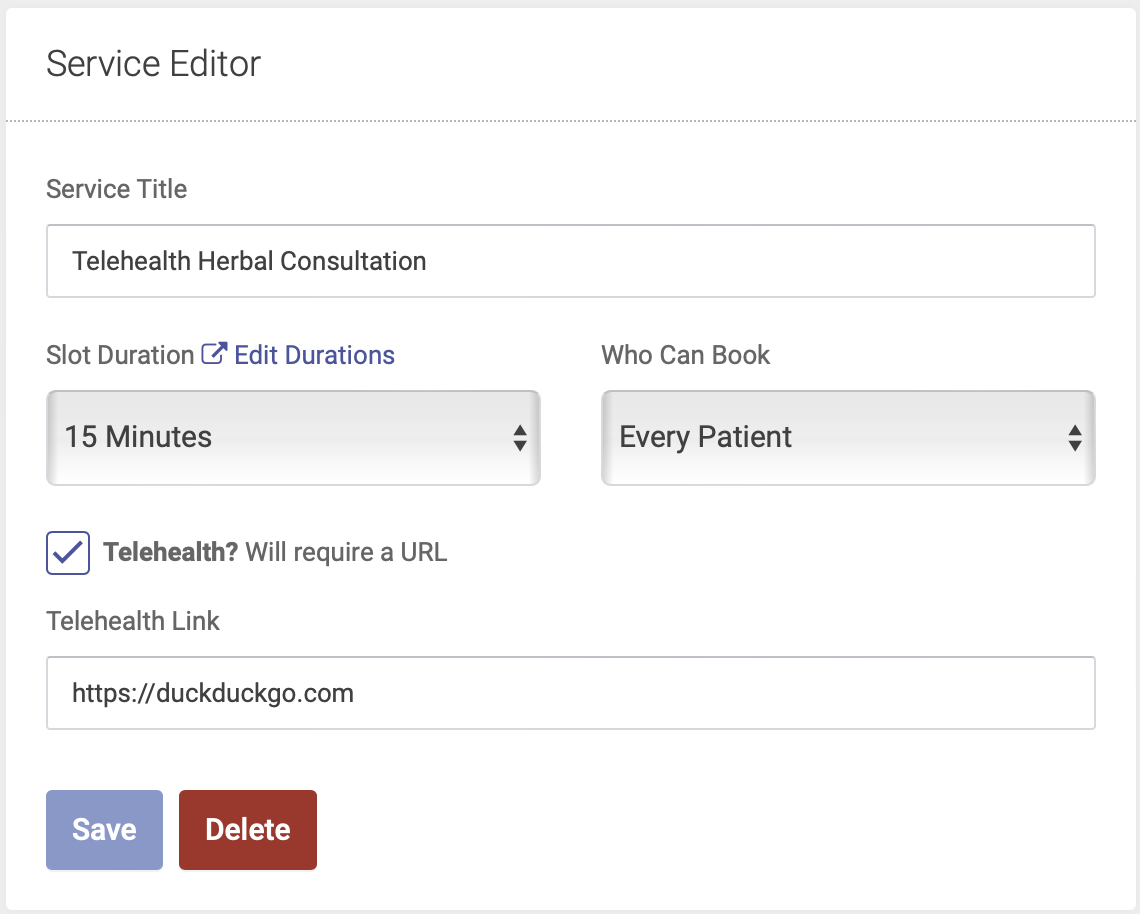](https://help.openacu.net/uploads/images/gallery/2024-07/BBPLC6Zgjg5VAu6L-telehealth.png)
When a patient is scheduled for a Telehealth service, the link where they will join the telehealth session will appear in their confirmation and reminder emails:
[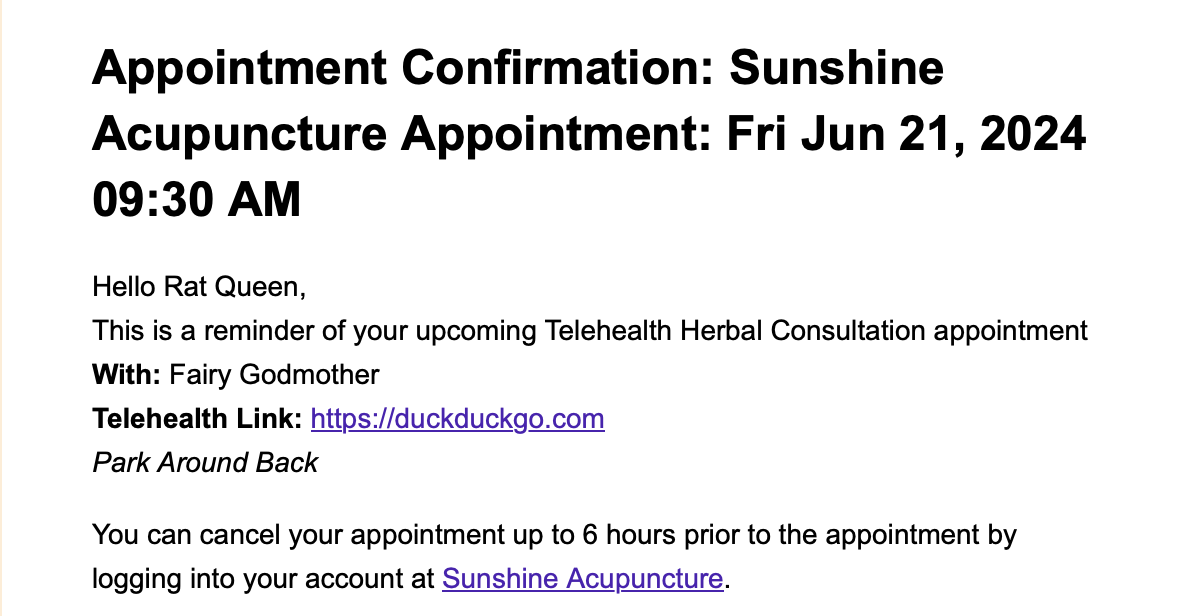](https://help.openacu.net/uploads/images/gallery/2024-07/eQyaIMRb3hSwllOD-telehealth-2.png)