Transaction Report
The Transaction Report shows all transactions for a given range. When running a transaction report, you can select for date, location and practitioner.
This is the report you'll want to run anytime you want to look at financial transactions, whether for the day, week, month, etc. It differs from the Appointment Report in a few ways:
- It includes transactions that aren't tied to an appointment, for example if someone comes in to purchase a retail item but doesn't get a treatment
- It includes debit/credit and token balances
- It separates out payments for treatments vs items
- It shows method of payment for each transaction (cash, check, credit card, or other)
When running a transaction report, you'll select your date range, location(s), practitioner(s), and Transactions from the menu at the top, then click Search:
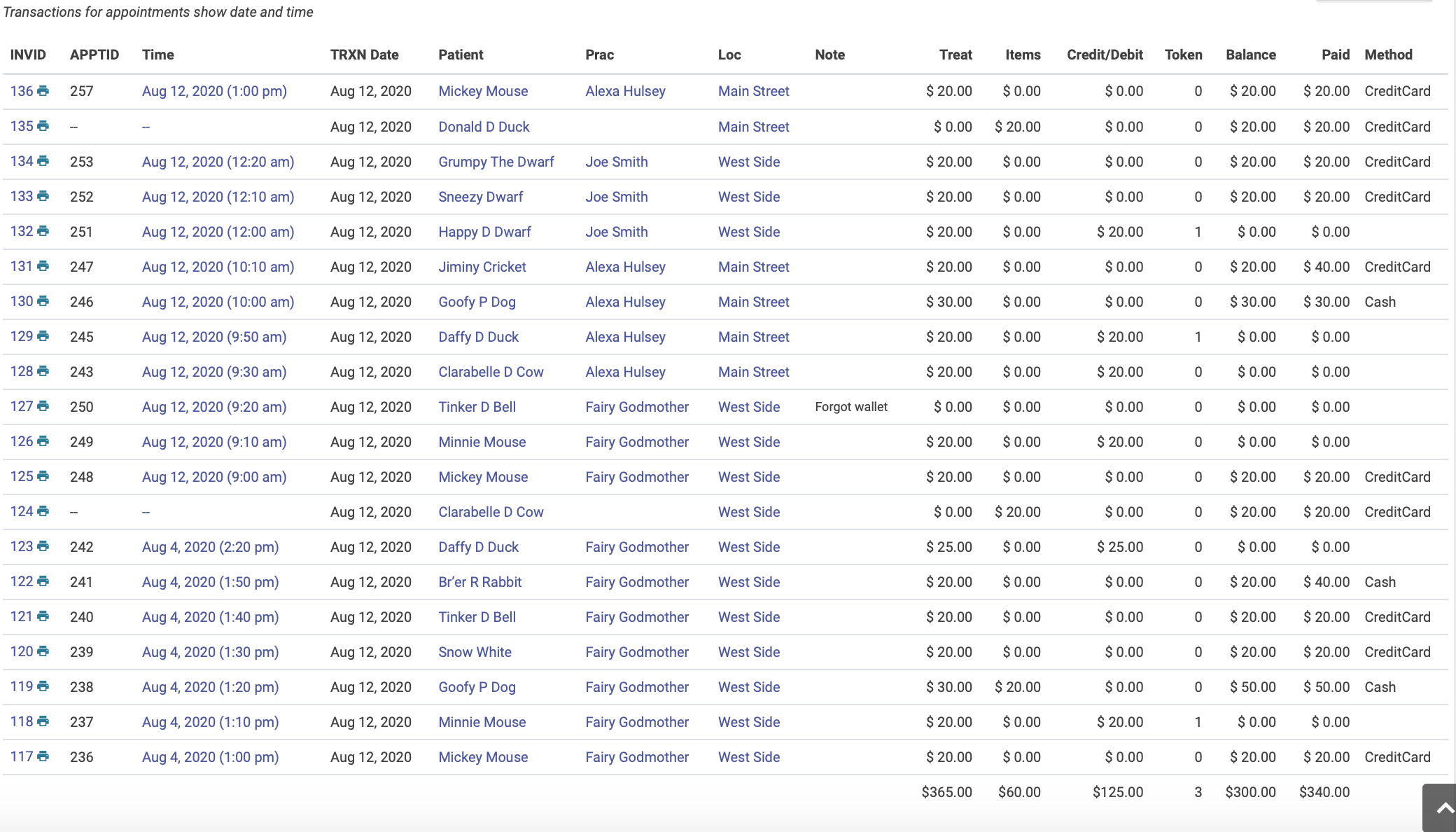
The report will show detailed information for each transaction. Note that the total at the bottom of the Paid column may be different from the total at the bottom of the Balance column. This occurs when patients use credits or tokens as payment. The Paid total will always show the actual amount collected for the given date range.
The transaction report does NOT show check-ins for the date range. For that you'll need to run an Appointment Report.
Detailed Transactions
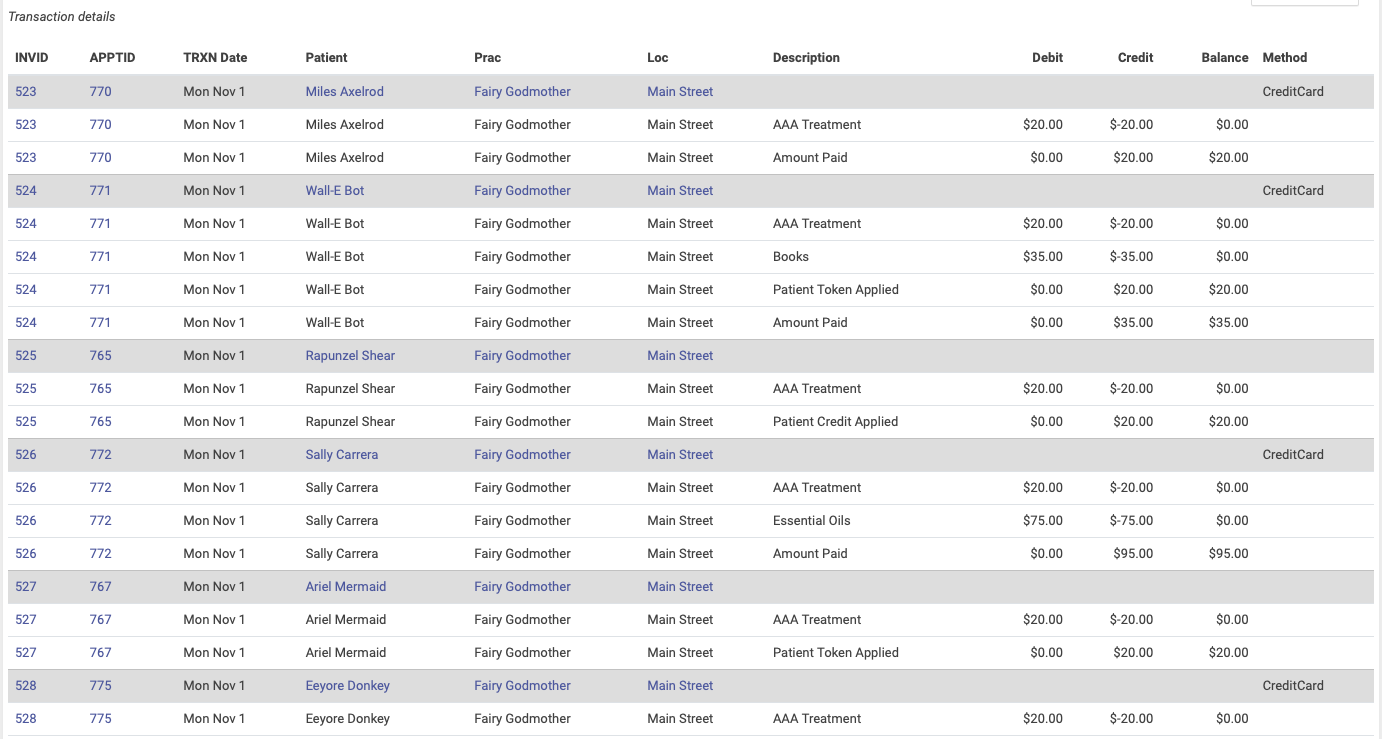
There is a choice in the type of transaction reports that show all the details or line items for every transaction. Choose the "Detail TRXN" option for more details in your transactions. Note the gray lines separate transactions.