How to Book an Appointment
Quickly and easily book an appointment on the patient portal:
Step 1:
Sign in to your patient account with your Username and Password
Step 2:
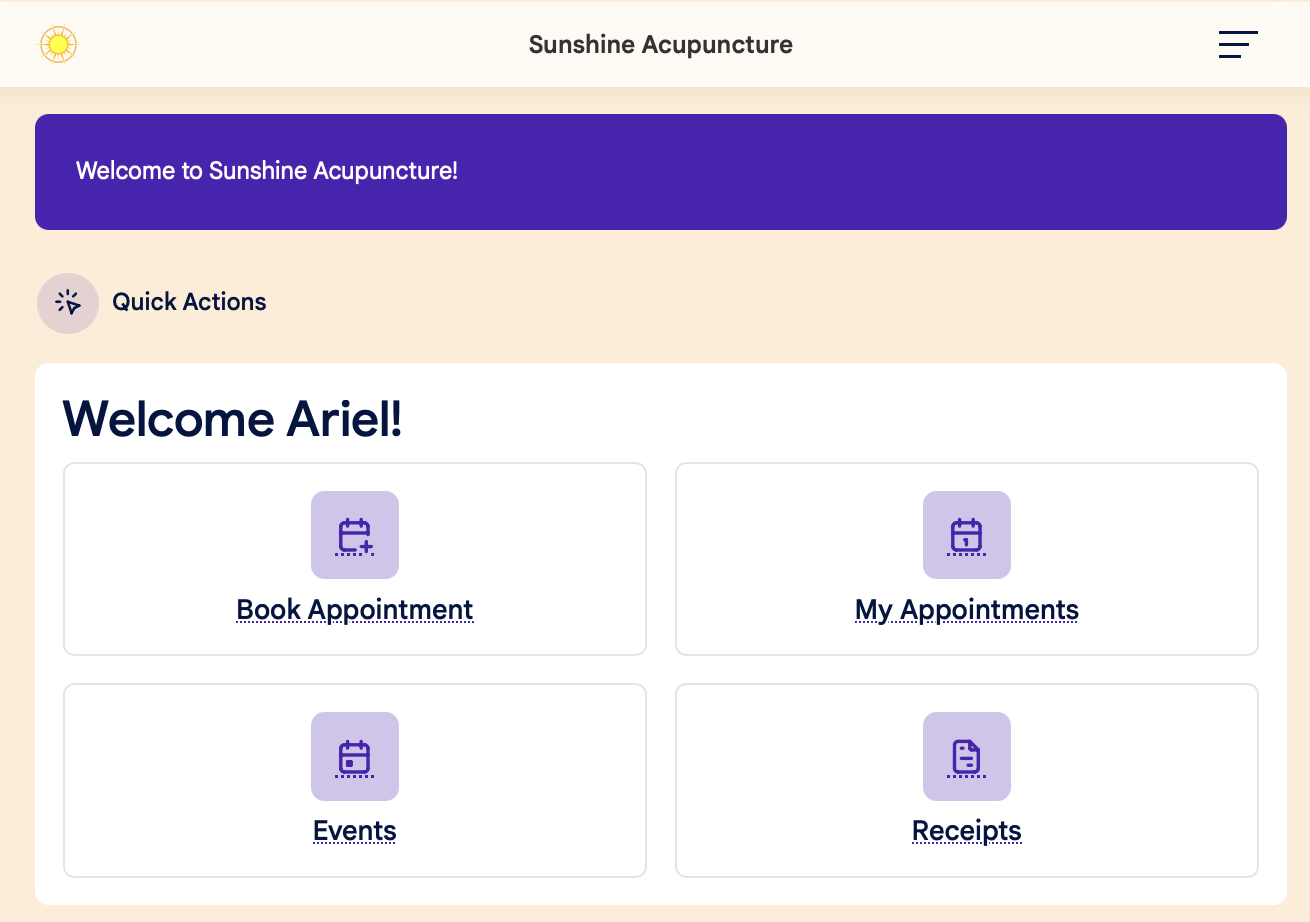
Click the Book Appointment button on the Dashboard:
Step 3:
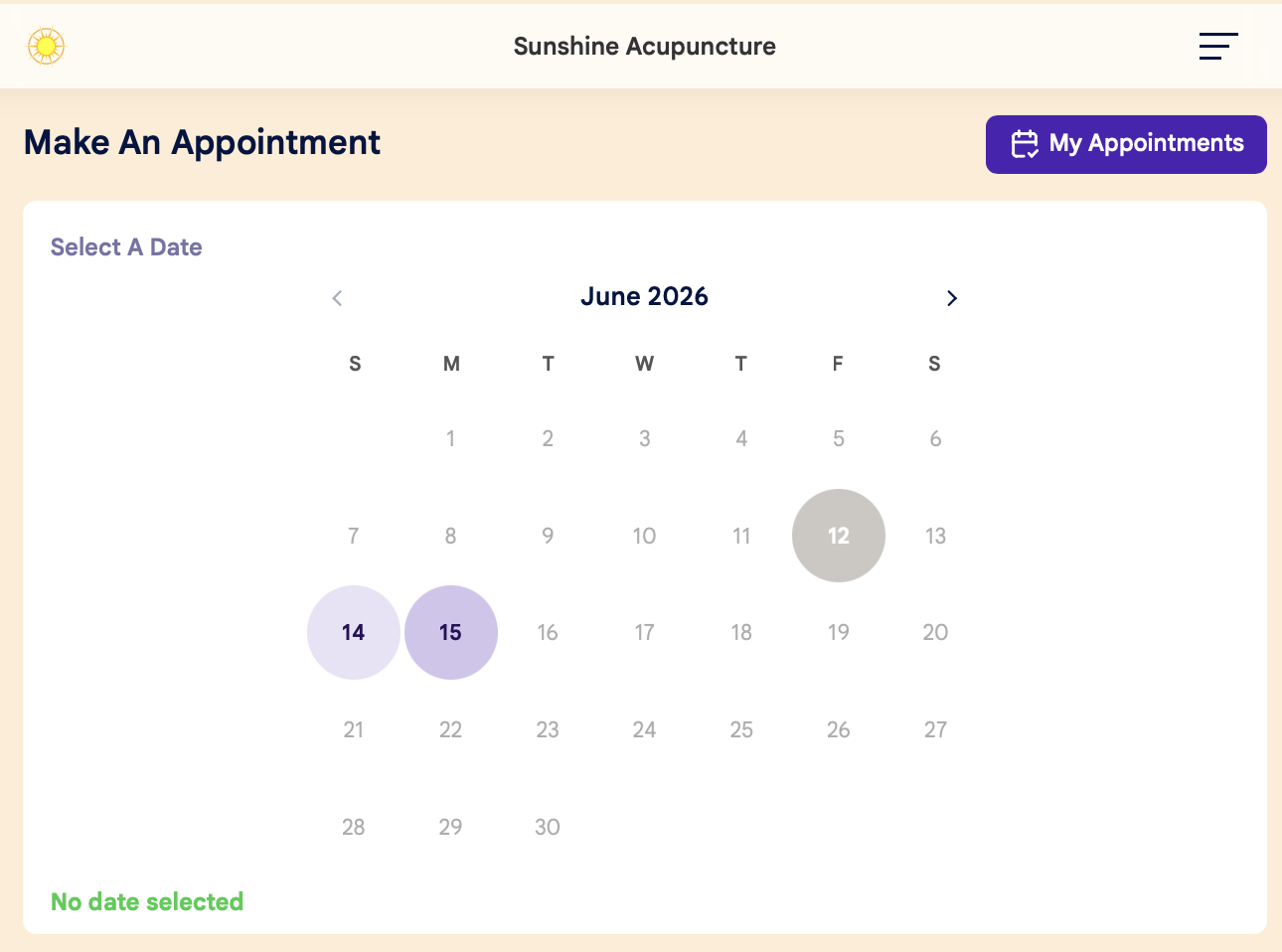
Select your date on the calendar:
Step 4:
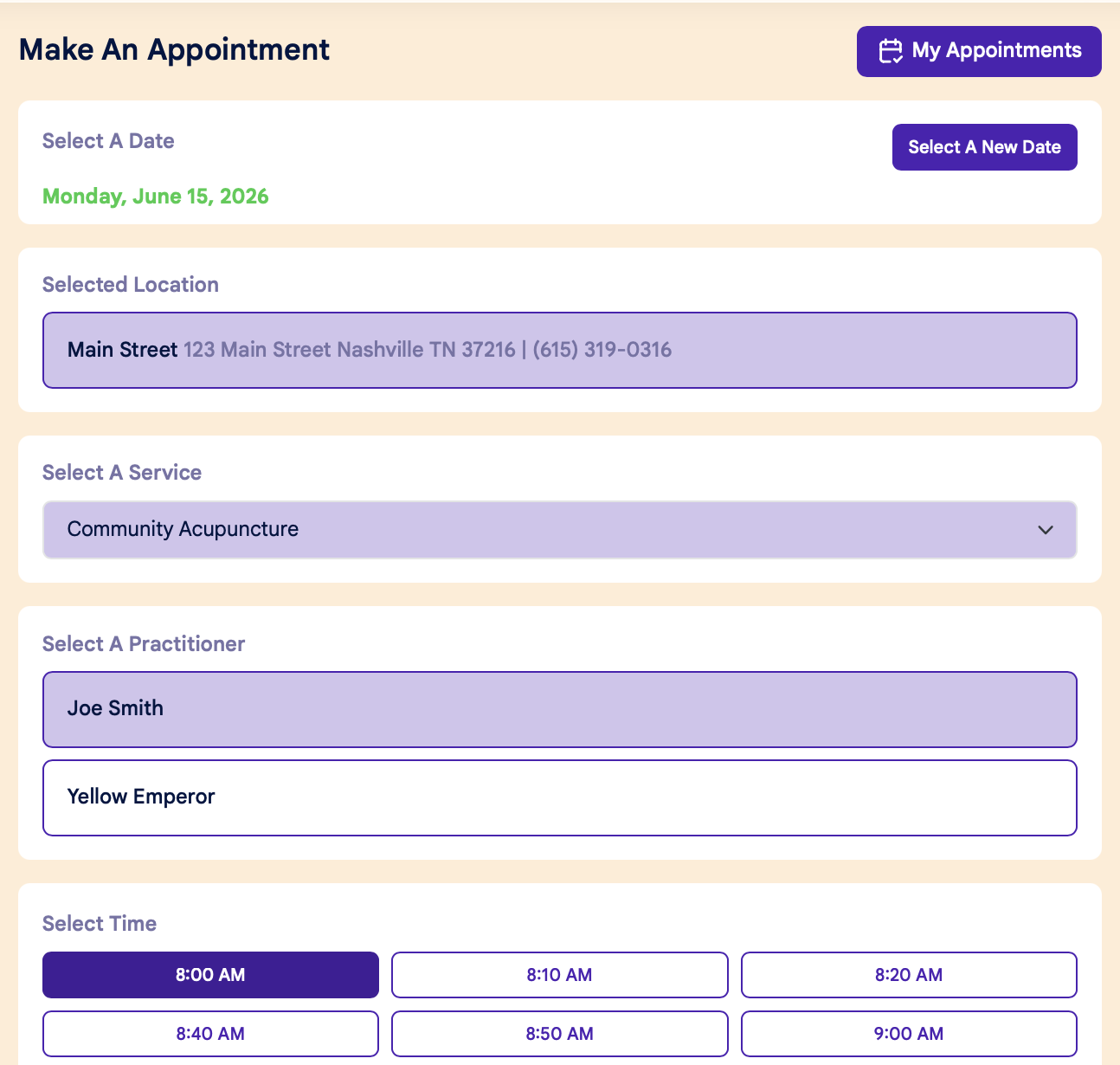
Use the dropdown menus to select your Location, Service, Practitioner, and Time:
Step 5:
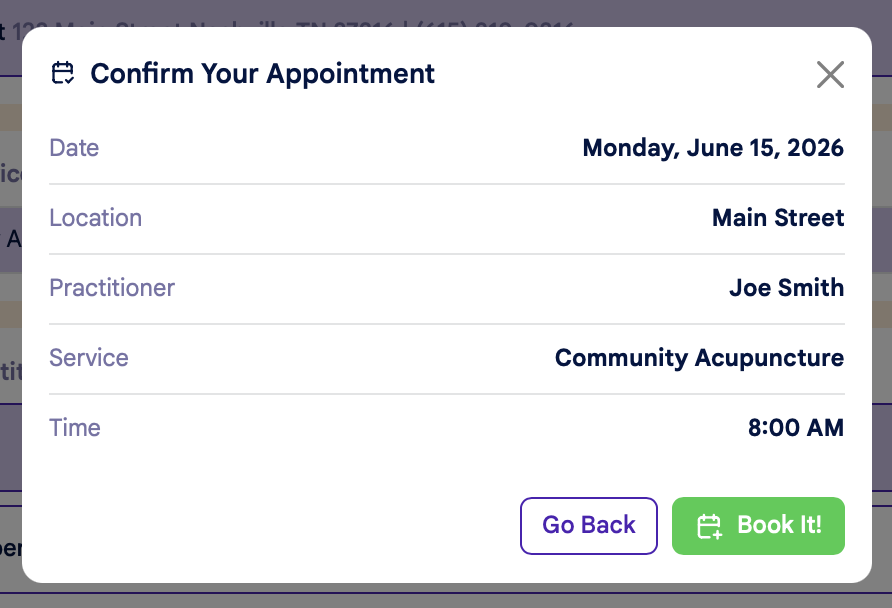
Once you've selected a time, you'll see a popup window to confirm your appointment.
- Click "Book It!" to complete your booking
- Click "Go Back" to return to scheduling
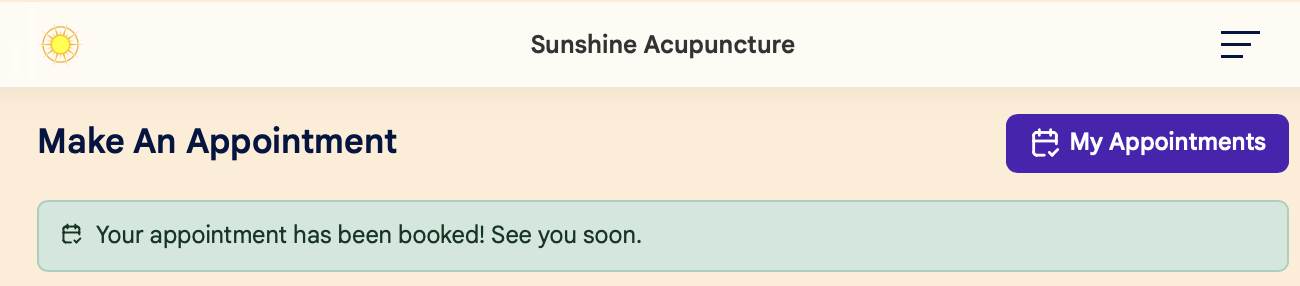
Your appointment is now booked! You'll see a confirmation message at the top of the screen: