
Detail TRXN Report
The Detail TRXN Report is similar to the Transaction Report in that it shows all transactions for a given range. WhenThe runningdifference is that the Detail TRXN report shows anything that was entered in the Description box on a transaction report, you can select for date, location and practitioner. transaction.
This is the report you'll want to run anytime you want to look at financial transactions, whether for the day, week, month, etc. It differs from the Appointment Report in a few ways:
It includes transactions that aren't tied to an appointment, for example if someone comes in to purchase a retail item but doesn't get a treatment
When running a transactionDetail TRXN report, you'll select your date range, location(s), practitioner(s), and Transactions from the menu at the top, then click Search:
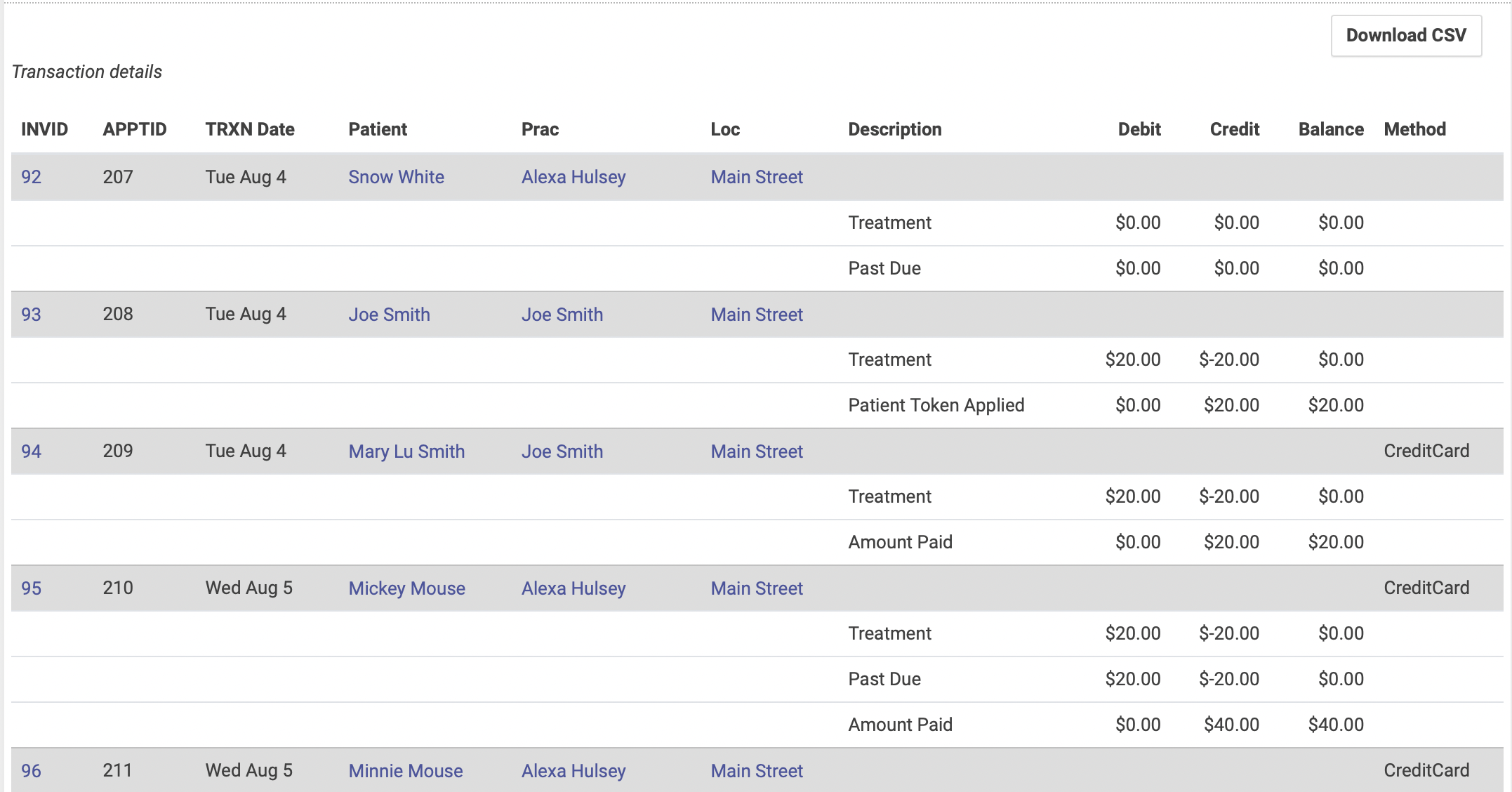
The report will show detailed information for each transaction. Note that the total at the bottom of the Paid column maycan be differentdownloaded fromto thea totalCSV atif theyou'd bottomlike ofto thesort Balanceyour column. This occurs when patients use credits or tokens as payment. The Paid total will always show the actual amount collected for the given date range.data.
The transactionDetail TRXN report does NOT show check-ins for the date range. For that you'll need to run an Appointment Report.