
Patient Profile
Each patient has an extensive profile page with a lot of interactive information available. The profile page has a several sections to edit, capture information or use to create entries. Click the image below to enlarge and for and overview of all the sections.
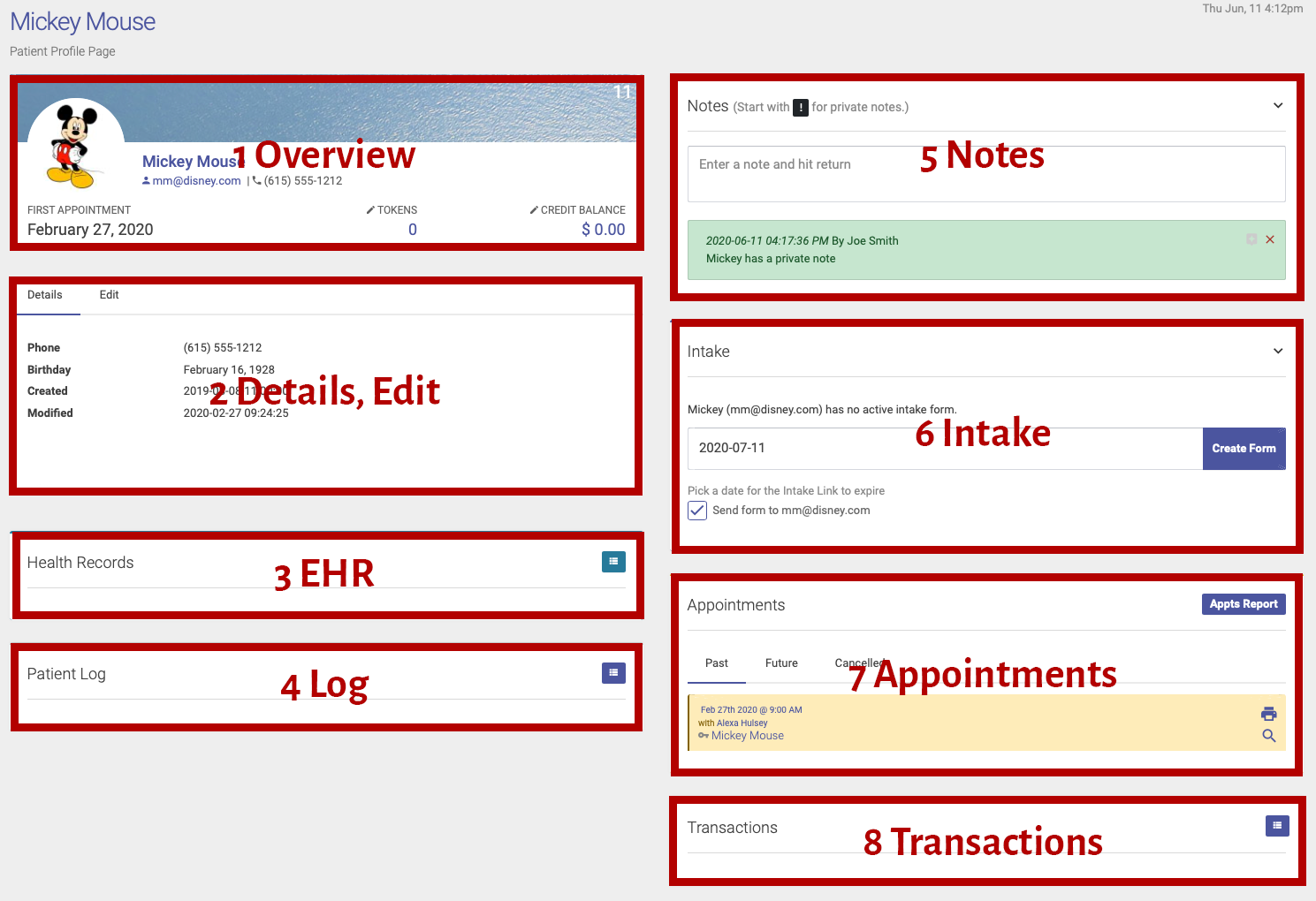
Going from the top left, down and then the top right and down the sections are as follows.
- The patient overview
This section is a quick overview of the patient.- Their ID is top right.
- The image can be changed, just click the image and use the upload form.
- To add or view tokens simply click.
- Same for credits or debits, click to see entries and make and entry
- Patient Details
This section is all the important information about the patient like their name and contact information.- Click the Edit tab at the top of the section to reveal the edit form.
- Make any changes you need and click saved details
Inactive patients cannot make an appointment. - For emergency contact information make changes and click Save Emergency/Insurance
- To change a patient's password enter the new password twice and click Save Password
Patient passwords can not be seen in Open ACU as they are double encrypted. You can only reset their password. Patients are able to change their own password.
- Electronic Health Records
- If you are logged in as a user with permission to view EHR records you can see the patient's records by expanding the list via the expand icon to the right.
- If you do not have permission you will not see this section on the patient profile page.
- Patient Log
- Click the expand icon to load the log.
- This log shows any changes made to the patient and by what user.
- This is a raw log so it shows every detail when something changes.
- Patient Notes
- Simply enter a note and hit return to save a new note.
- Start the note with a "!" to make that note private.
- Only users with EHR permission can add private notes
- Without permission users cannot see private notes
- All notes are encrypted.