
EHR Preferences
Note taking preferencesLabels
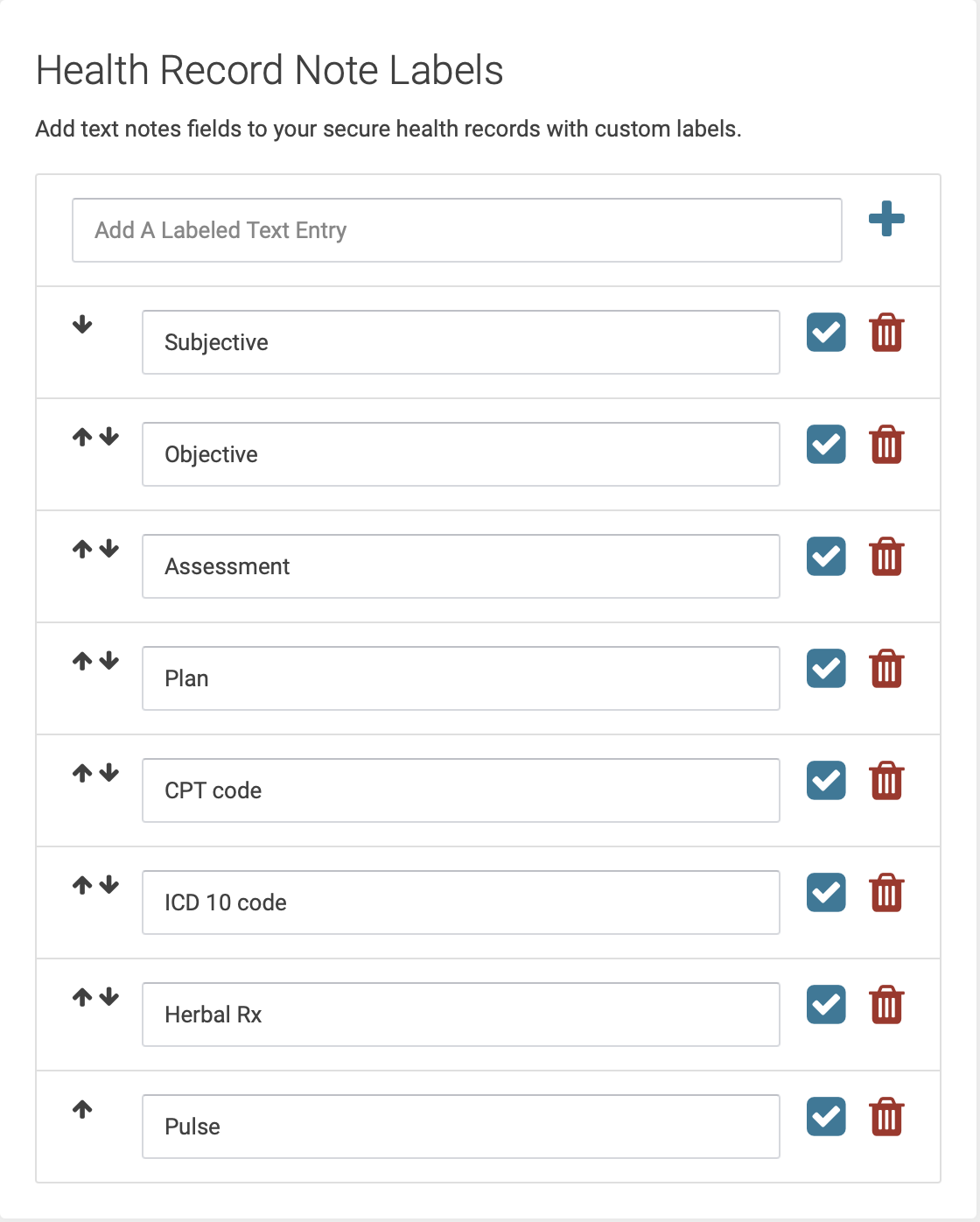
FromBy default, your EHR notes will contain two fields: Note and Plan. If you want to add more fields, you can do that on your EHR Preferences page.
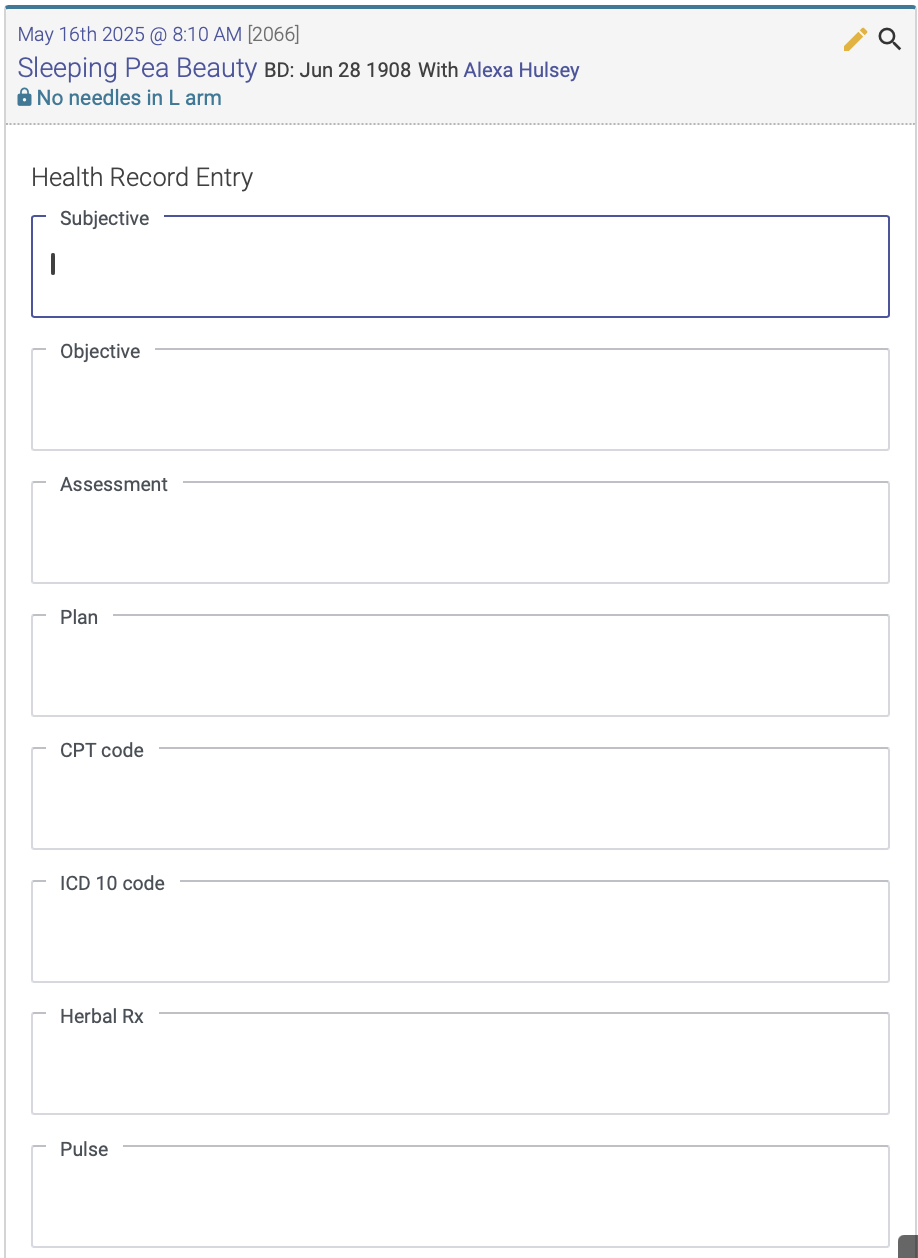
You can create up to 12 fields, and each of the fields you create will appear when you enter your EHR notes for each treatment.
You can add or delete fields, and use the arrows to change the order in which your fields appear in your EHR notes.
This is what you'll see on the EHR Preferences page, where you create your Note Labels:
This is how it will appear when you enter a chart note:
Notes Dictionary
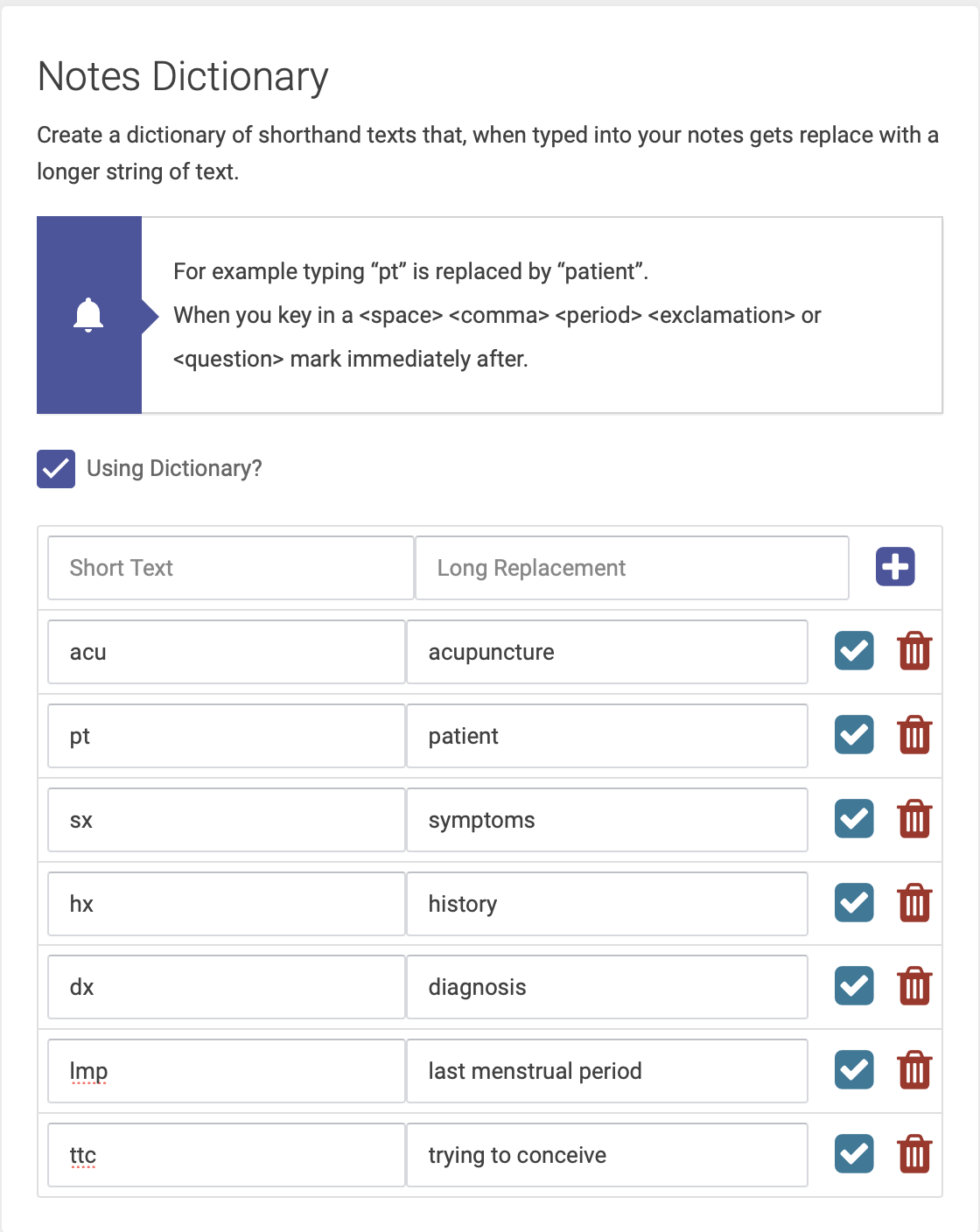
The Notes Dictionary gives you the Clinicability Ownerto create text shortcuts for faster charting. For example, you can settype "pt", and it will automatically convert to "patient" in your EHR note.
To enable the note-takingNotes preferencesDictionary, forcheck the clinic."Using ThereDictionary" arecheckbox. twoThen options: create your list of text shortcuts in the table, by entering the short text and long replacement:
Notes, Plain Field.This option gives practitioners one blank field to enter all their treatment notes. On the patient’s record it looks like this:

Use
This options gives practitioners four separate fields for Subjective, Objective, Assessment and Plan. On the patient’s record it looks like this:
