
Create an Event in Open ACU
Open ACU allows you to schedule group events with multiple participants. Read on for step-by-step instructions.
1. Create a new event
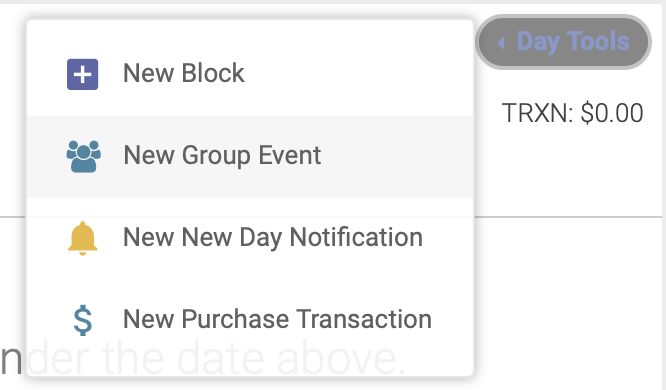
Select your date on the schedule. At the top of the day's page, click Day Tools --> New Group Event:
2. Event Setup
You'll now follow the Event Setup steps to enter all the details about your event:
Setup
On the Setup page, you'll enter:
Click Save to advance to the next step: Host