
Receipts
Send a receipt via email
You can send a credit card receipt via email directly from the schedule, or from the patient profile page.
Send a receipt from the schedule
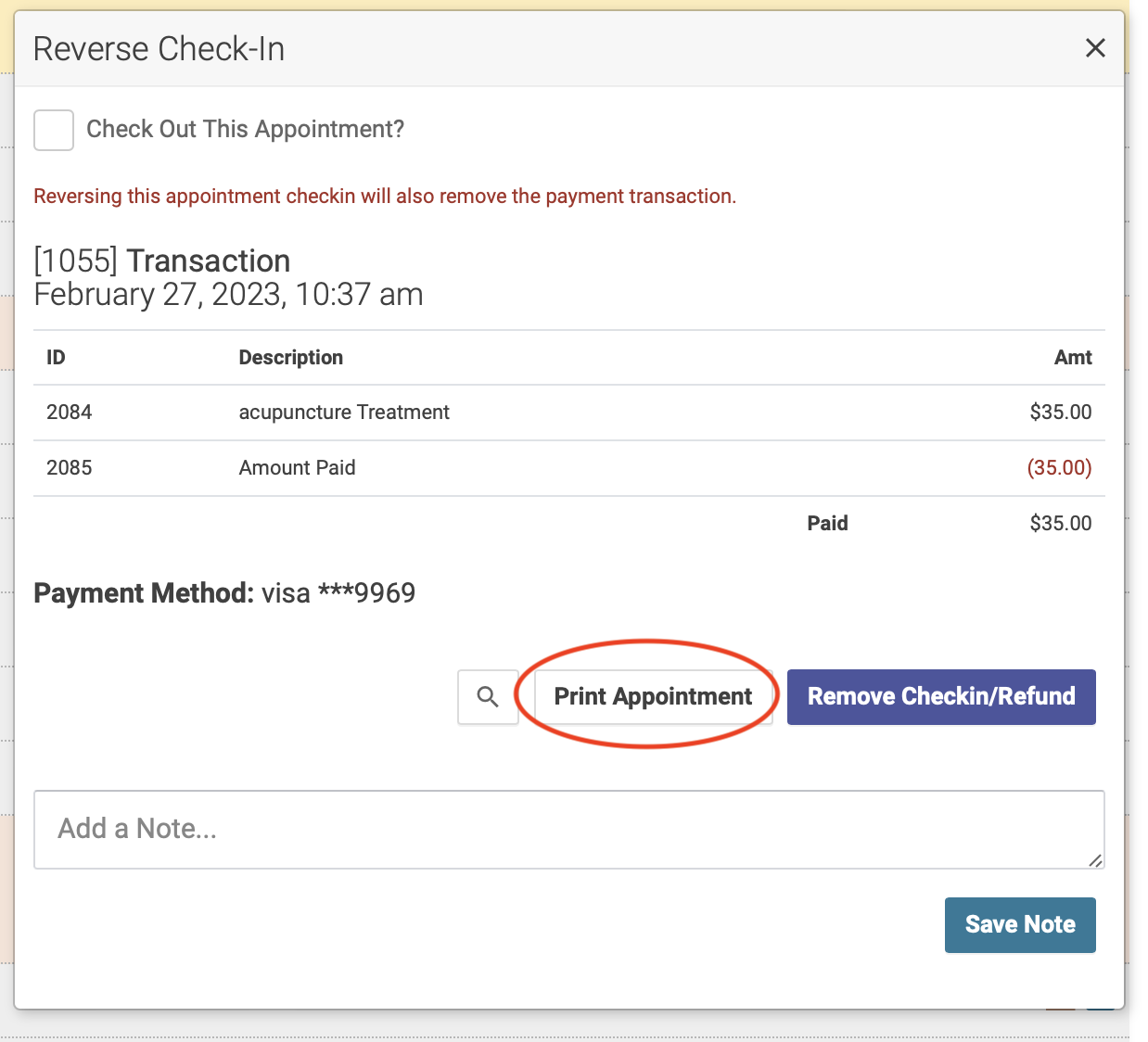
After you've completed a checkin, click the pencil icon. This will bring up the Reverse Checkin popup modal. Click the Print Appointment button:
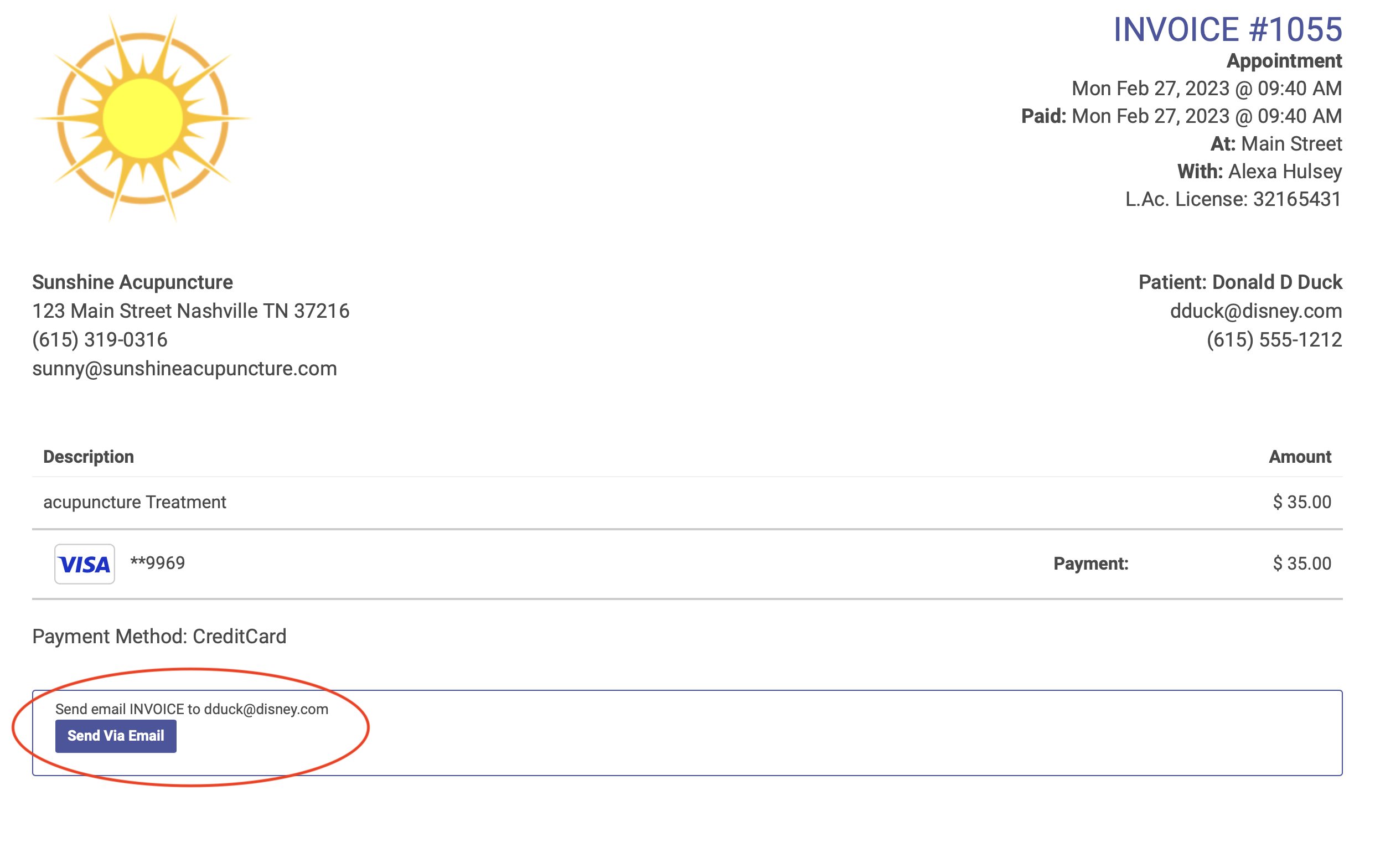
The invoice will open in a separate window. Click the Send Via Email button to email the receipt directly to the patient:
Send a receipt from the Patient Profile page
Find the transaction