
Downloading Health Records
Open ACU allows you to download a CSV file of all found records in blocks or searches.
Coming: Health records download for each patient by date range.
To download a block of records to CSV
Go to EHR > EHR By Block (if you are an owner you can choose the practitioner first to load their blocks)
Select a block from the column on the left
If there are any appointments you will see a button at the top right of the records loaded in the right column. 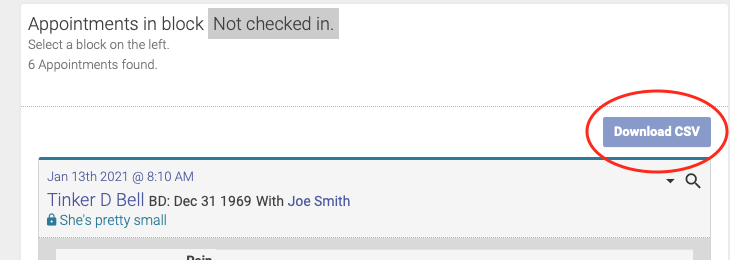
The information columns in the downloaded file
These are the fields in the CSV file downloaded from the EHR.
start_time -- appointment start time
checked -- Has been checked in
patient_name
patientid -- unique id for the patient
birth_date -- if not entered it will be 0000-00-00
prac_name
pracid -- unique id for the practitioner
locationid -- unique id for the
made_from -- 1 if made by the patient
first_appt -- this patient's first appointment date
flag -- 1 if true
new -- 1 if true
credit -- current credit balance
tokens -- current tokens balance
caution -- 1 if true
privatenote -- an old POCA Point private note holder
zhr_approved -- 1 if this appointment record has been approved and locked
ehrid -- a reference number to the health record
typeid -- placeholder, not applicable
rating -- star rating value
text0 & text0ta (two exact columns) -- Note or "S" text (two columns)
text1 & text1ta (two exact columns) -- "O" text
text2 & text2ta (two exact columns) -- "A" text
text3 & text3ta (two exact columns)-- Plan or "P" text
points0 -- head or symmetrical points
points1 -- TR points
points2 -- TL points
points3 -- BR points
points4 -- BL points
datemodified
datecreated