Creating a Multi-day Event
Our Events function allow you to create an event that spans multiple dates. Here's how to do that.
Event Setup
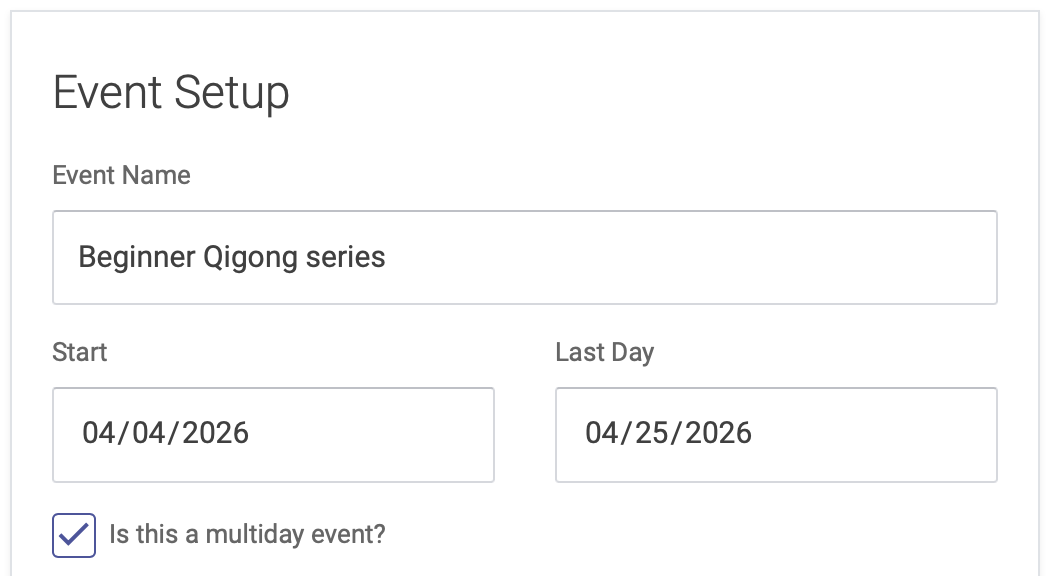
On the Event Setup page, click the box next to "Is this a multiday event?" You can then enter the start and end dates for your event:
Hours
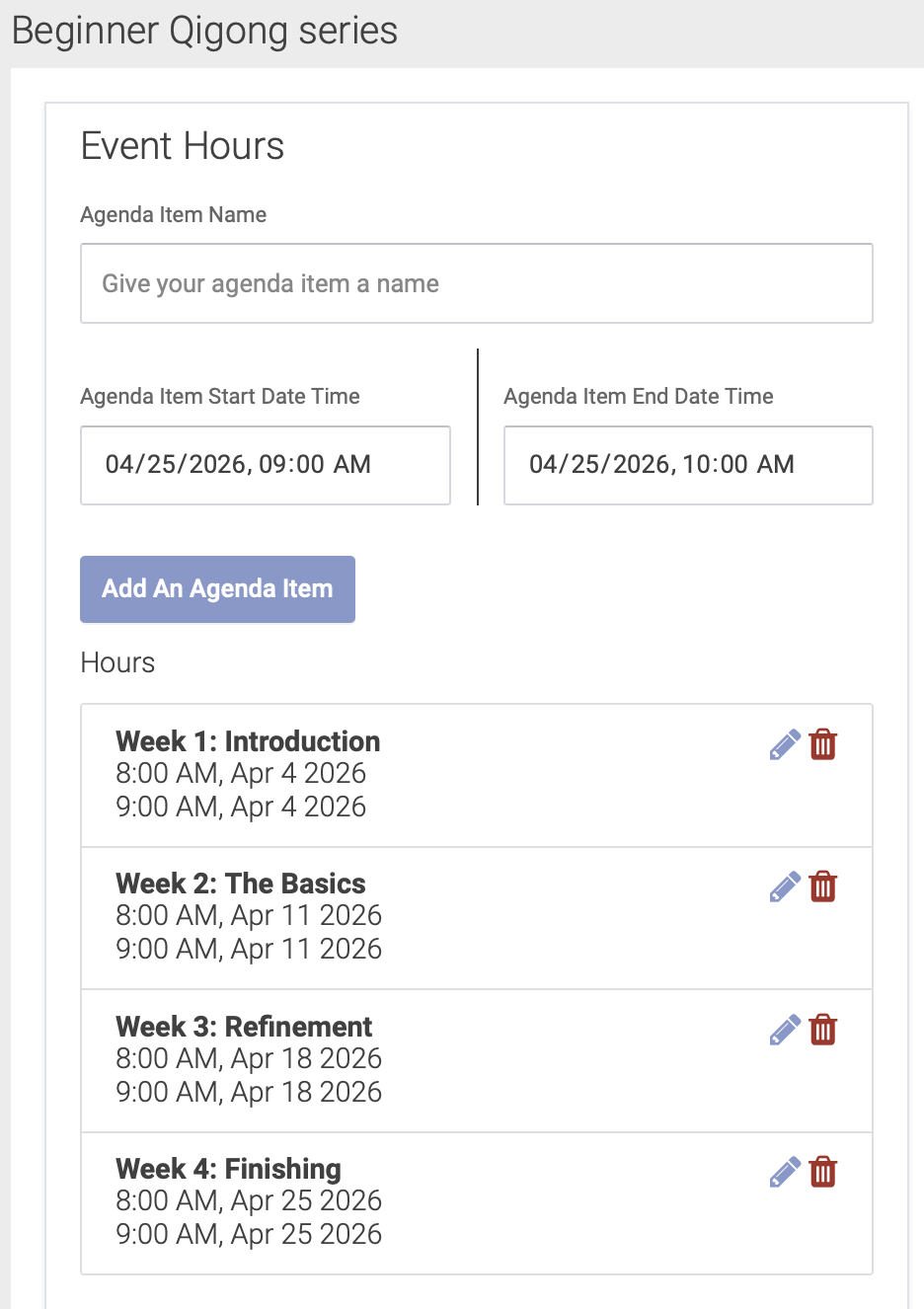
On the Hours page, you'll enter the hours on your multiple dates as separate Agenda Items: