
Event Waiting List
If your event registration is full, you can add people to the waiting list.
Add someone to the waiting list
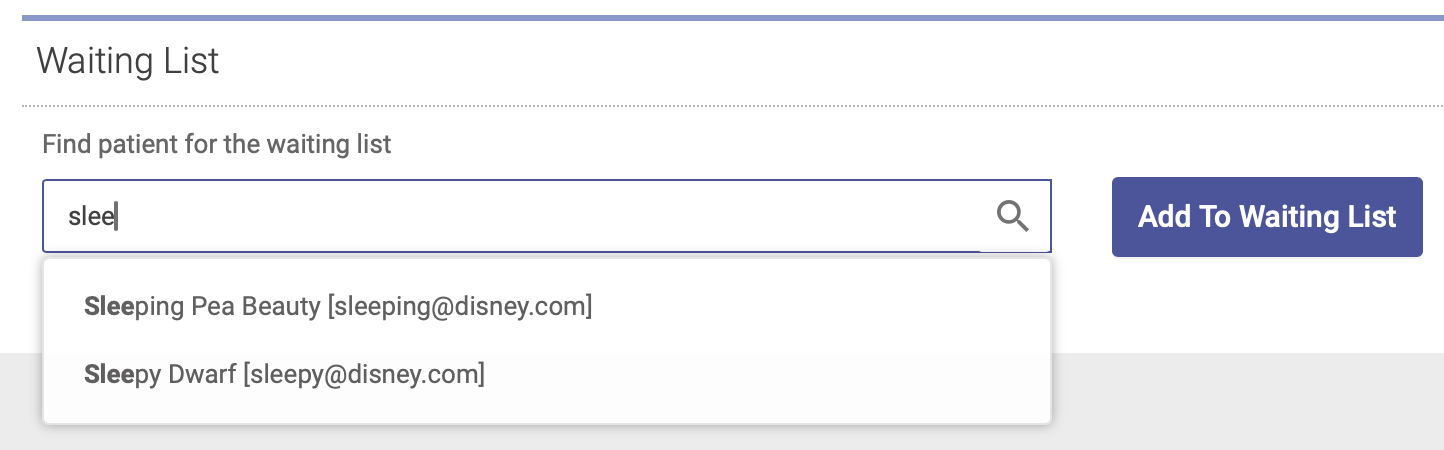
To add someone to the event waiting list, open the Attendees tab on your Group Event Editor and scroll down to the Waiting List section. Type a patient's name into the search field, highlight their name, then click Add to Waiting List:
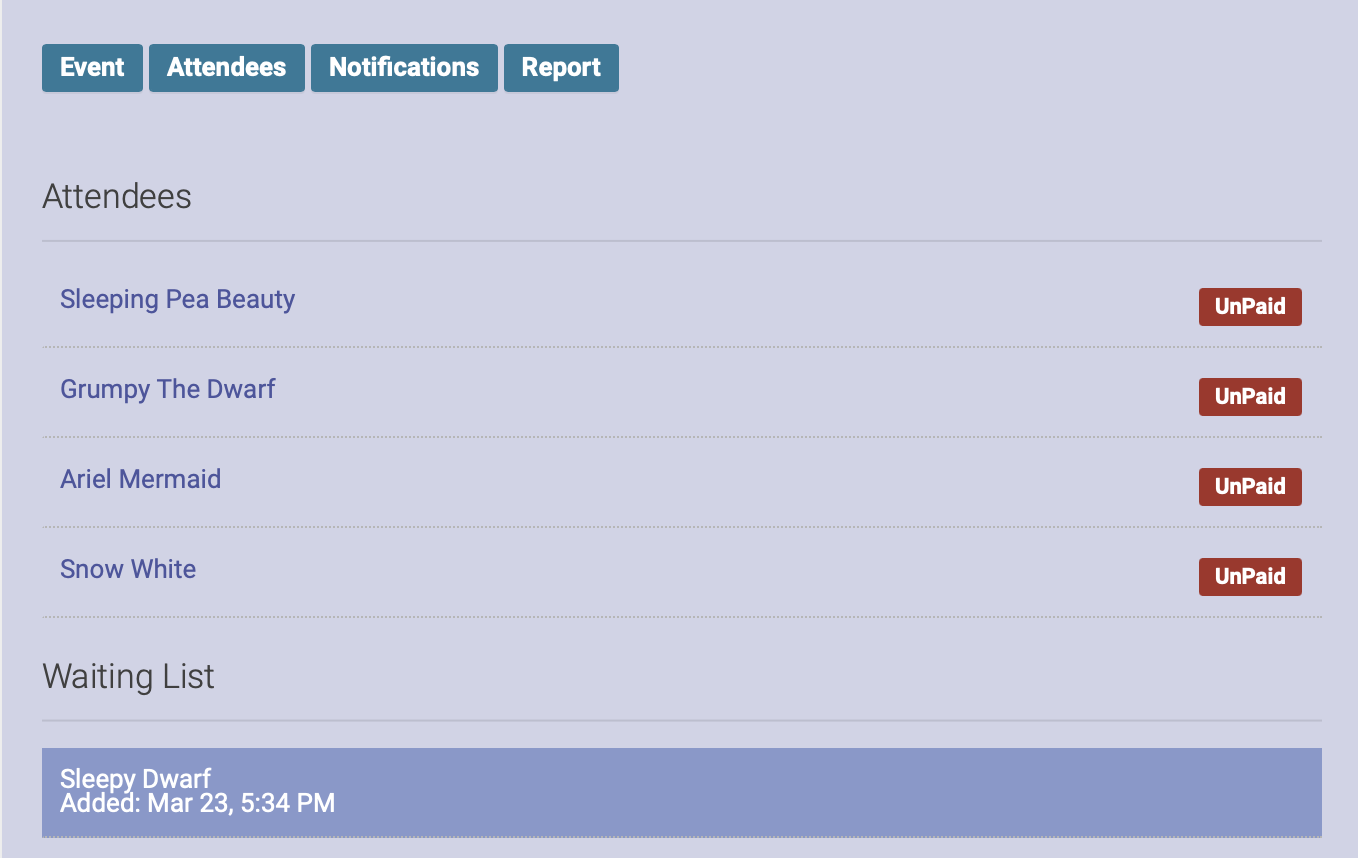
You will now see their name on the event waiting list, under the list of registered attendees:
Register someone on the waiting list for the event
If a spot opens up and you want to register someone on the waiting list for the event, open up the Attendees tab. Click on the plus sign (+) next to the person's name. This will move them off the waiting list and register them for the event:

Remove someone from the waiting list
To remove someone from the waiting list, open the Attendees tab, then click on the trash can icon next to their name. This will remove them from the waiting list:
