Account Settings

Here's how to update your patient account information and settings:

Settings Menu:

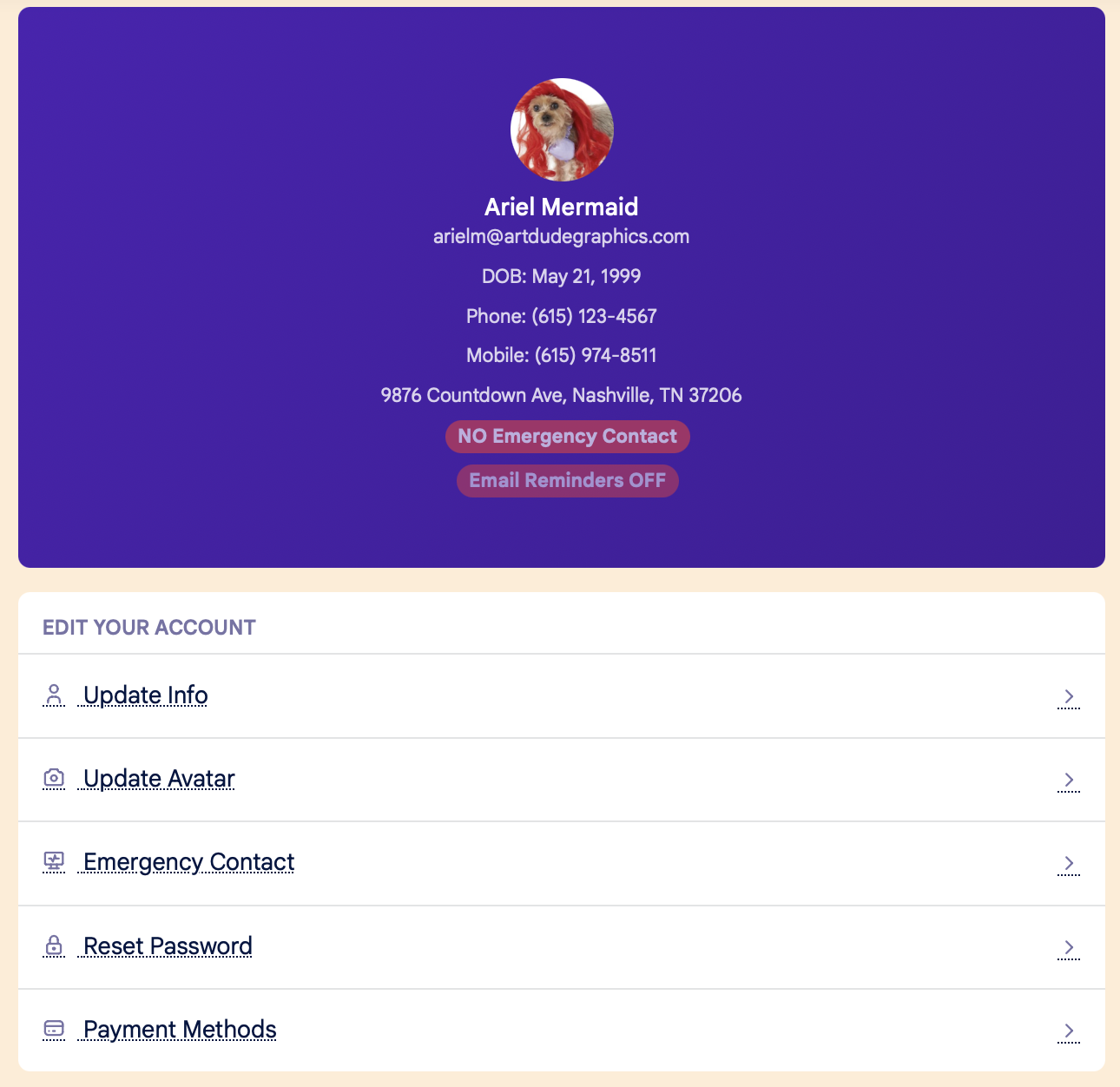
The Settings menu is on the bottom right hand side of your screen. On your Settings page you can update the following information:

  • Information:
    • Name
    • Email
    • Phone number
    • Date of birth
    • Address
    • Preferred location (if clinic has multiple locations)
  • Avatar
  • Emergency Contact
  • Password
  • Payment method

settings 1.png

Left Side Menu:

Click the three lines in the upper right hand corner to open the left side menu.  From the left side menu, you can:
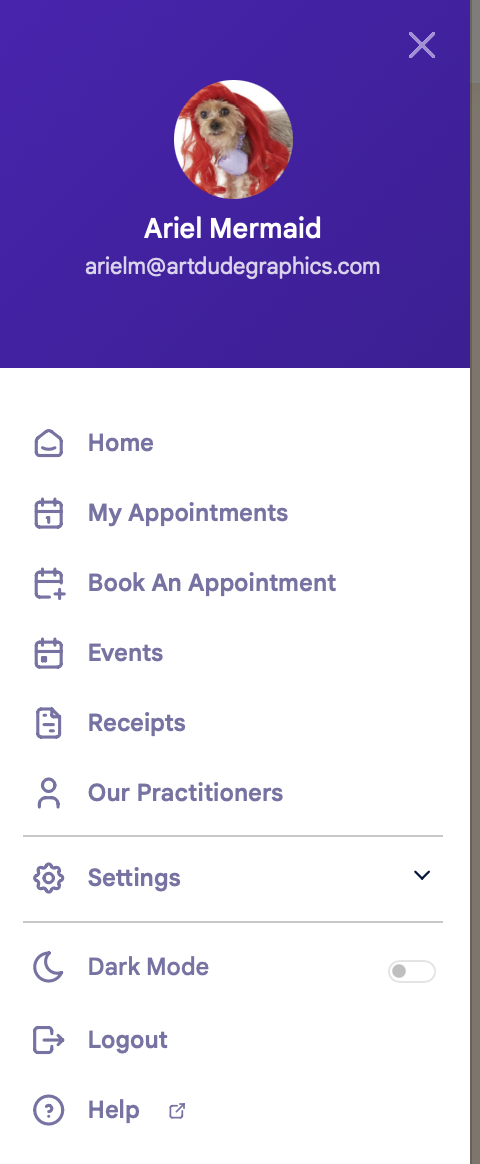
  • Navigate to any of the four main pages:
    • My Appointments 
    • Book an Appointment
    • Events
    • Receipts
  • View the Practitioners page
  • Update your Settings
  • Switch to Dark mode
  • Log out
  • Open the Help files in a new tab

settings 2.png