
View Your Appointments
You can view your upcoming, past, and canceled appointments from the My Appointments tab on the home menu:
Step 1:
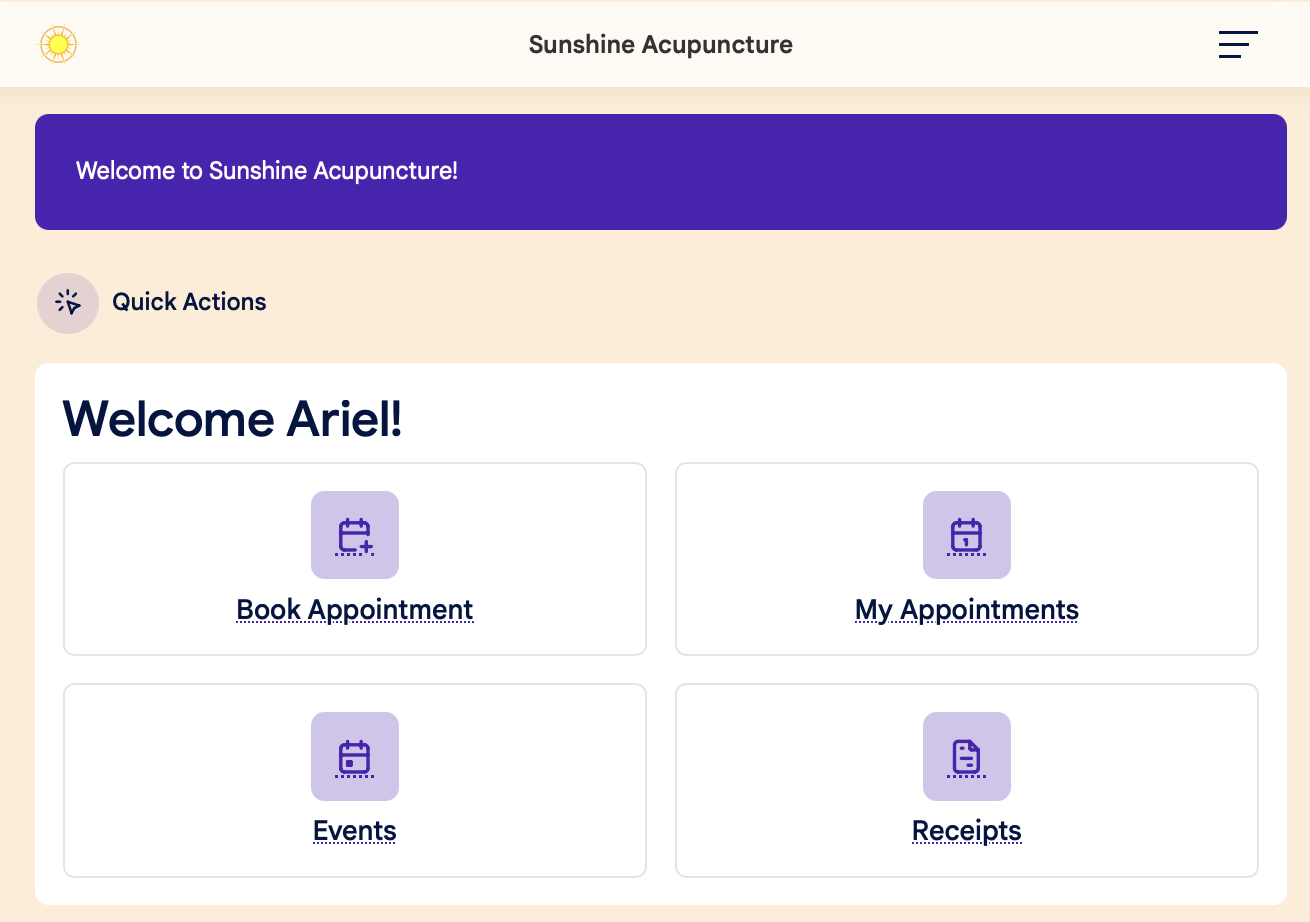
Sign in to your patient account, and click the My Appointments tab on the main dashboard page:
Step 2:
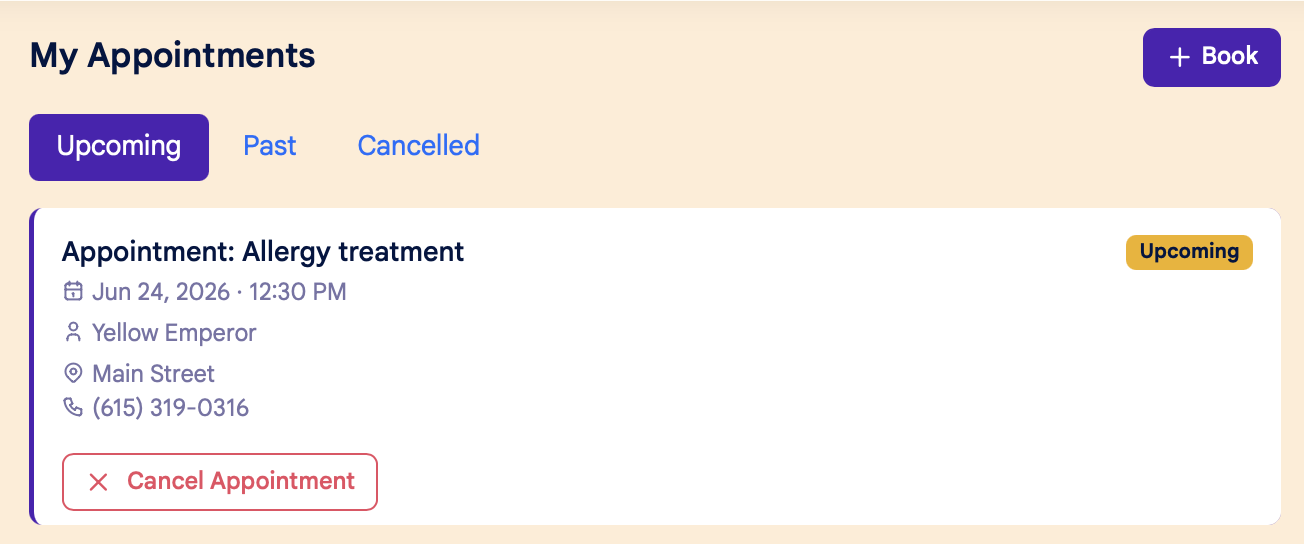
On the My Appointments page, click the tabs across the top of the page to view Upcoming, Past, and Canceled Appointments:
On the My Appointments page, you can also:
- Cancel an appointment by clicking the red "Cancel Appointment" button
- Book a new appointment by clicking the "+Book" button in the upper right hand corner