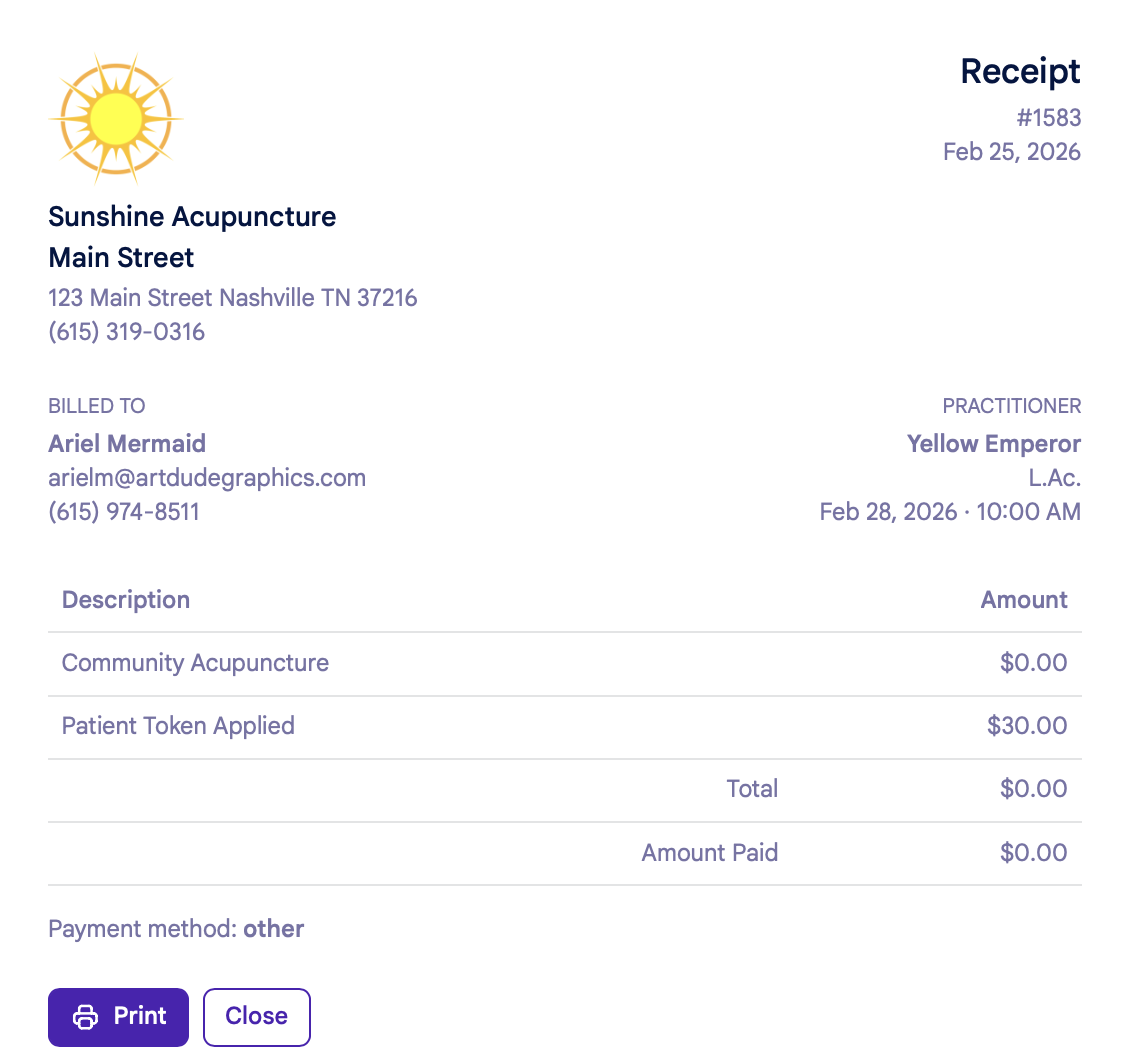
Receipts
Here's how to view and print receipts in your patient account:
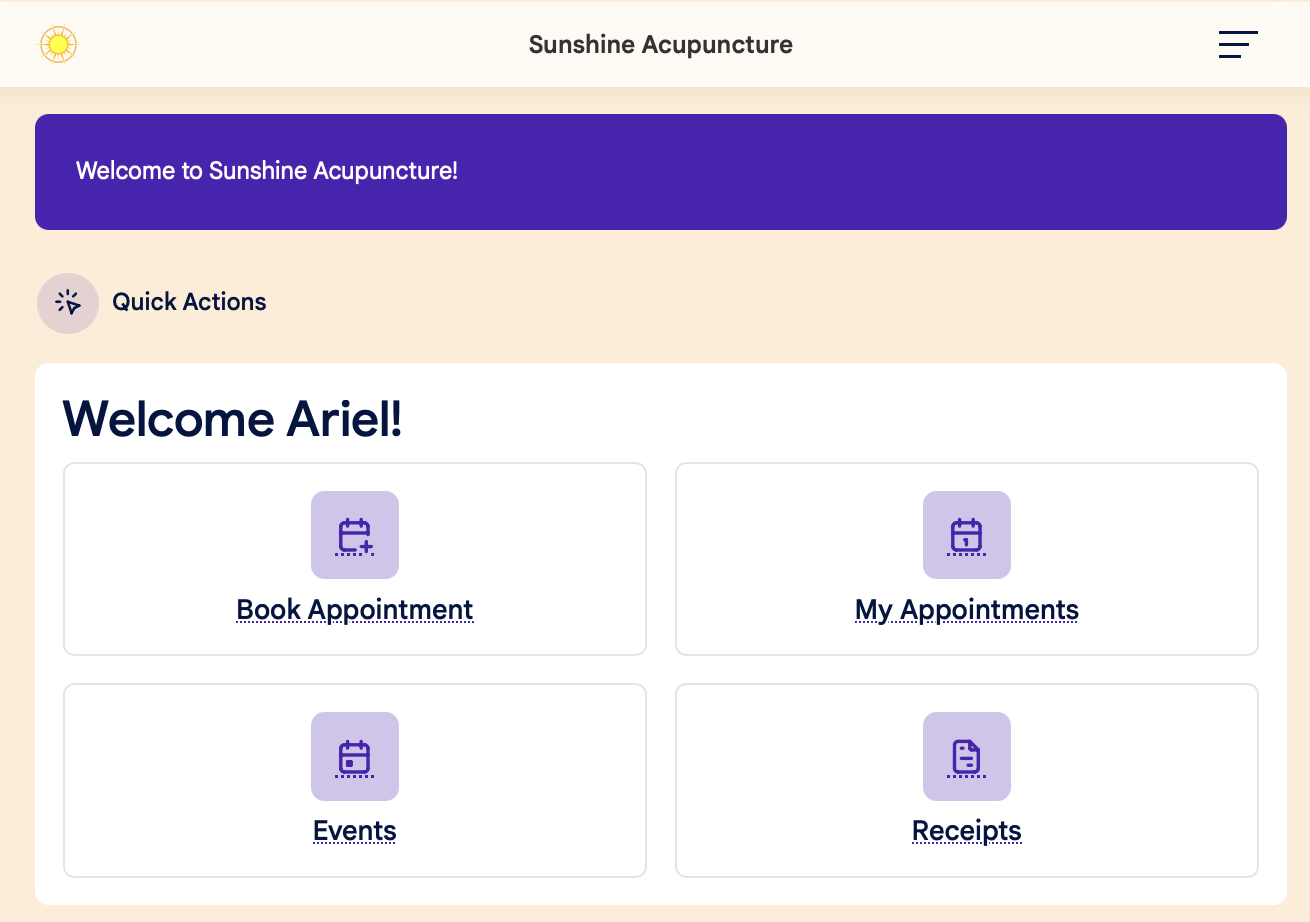
1. Click the Receipts button on the main dashboard:
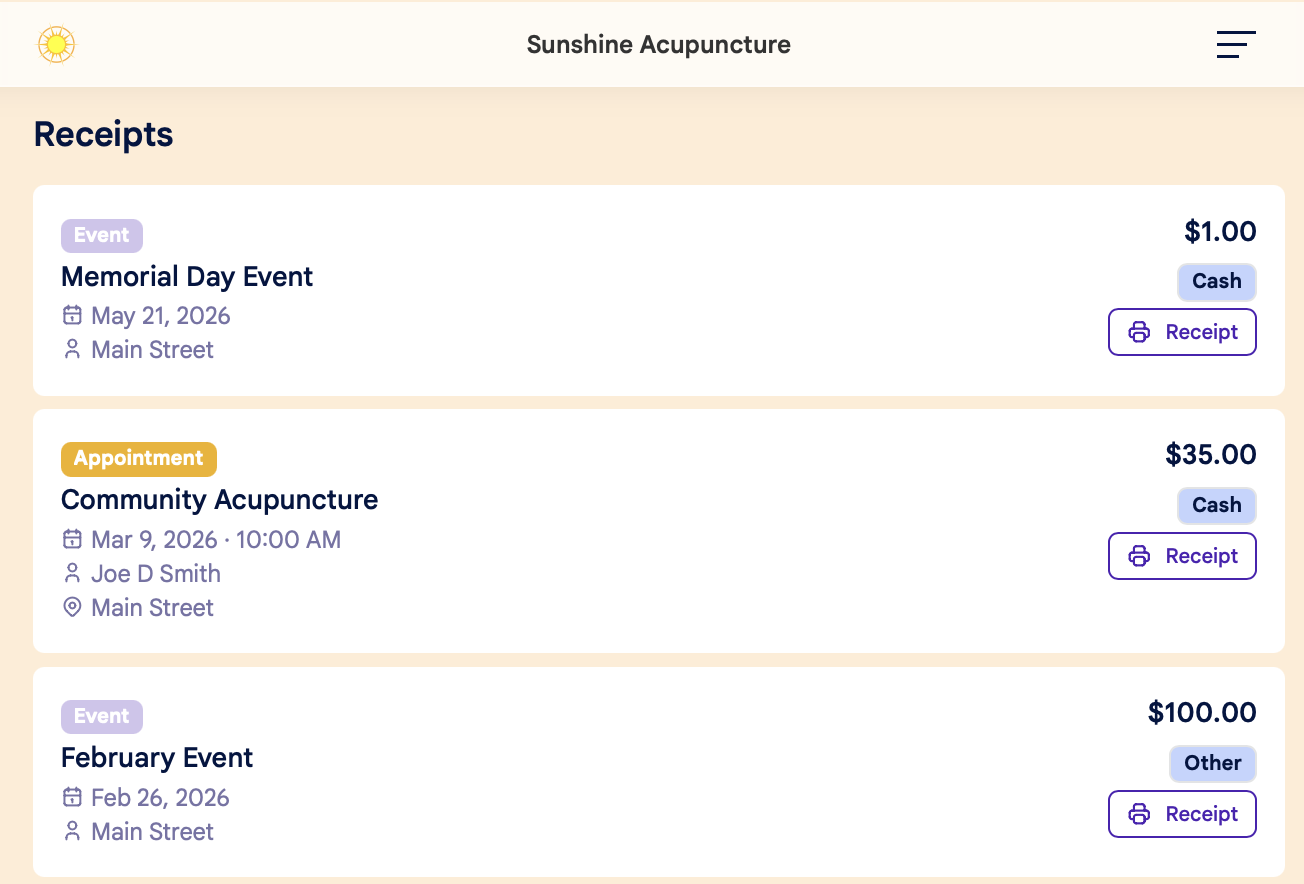
2. From there, you'll see a list of all past transactions. Each will include:
- Service or Event title
- Date and time
- Practitioner
- Location
- Amount paid
- Payment method
3. Click the Printer/Receipt button to open your receipt in a new window. From there, you can:
- Print the receipt, or
- Download to a PDF