
Collecting Payment for an Event
There are two ways to collect payment for an Event:
1. At the time of registration
You can collect payment for an Event at the time of registration only if you use Open ACU's Stripe integration.
To require payment at the time of registration, click the "Prepayment Required" checkbox on the Event Pricing tab:
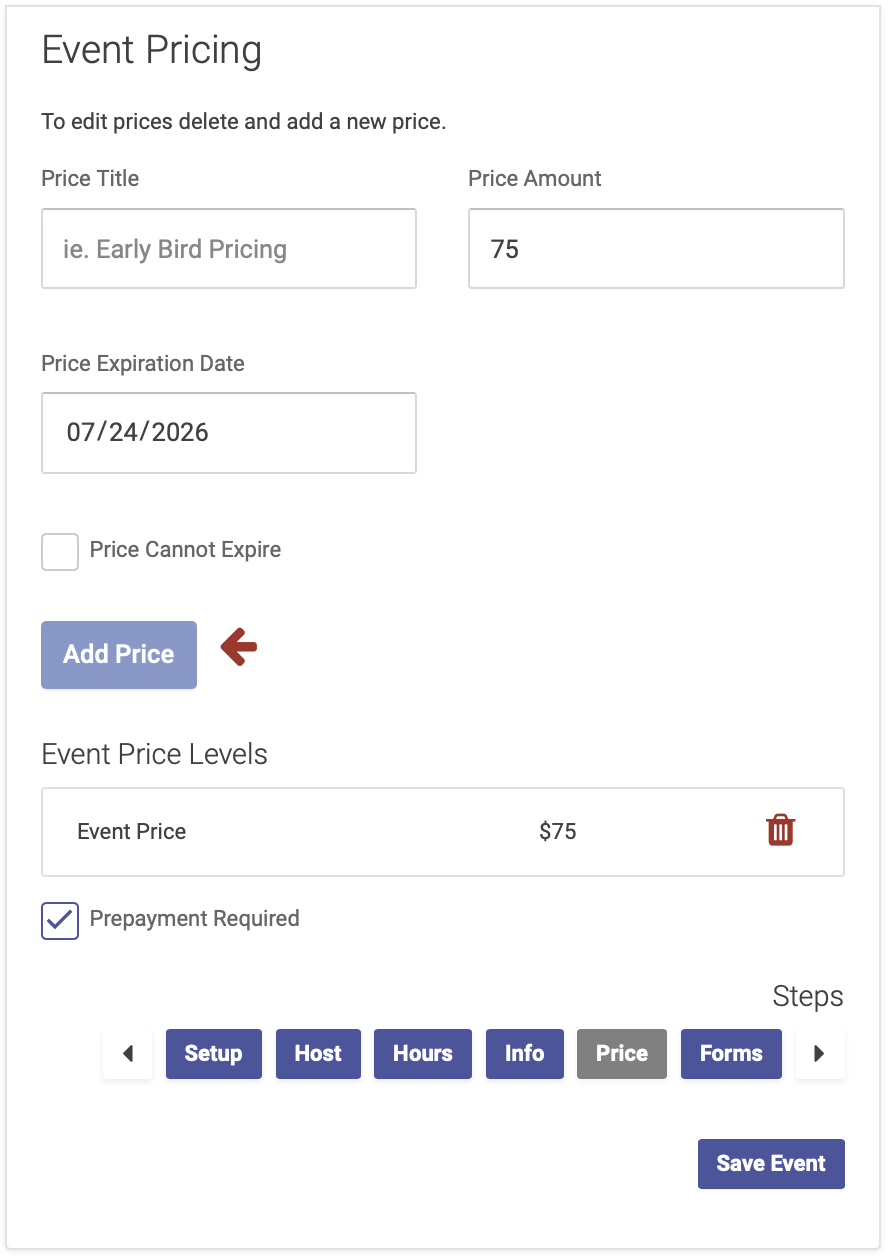
Participants will then be prompted to enter their payment details at the time of registration in order to reserve their spot.
2. At the time of the Event
You can also collect payment at the time of the Event. In this case, you won't check the "Prepayment Required" button on the Event Pricing page when creating your Event.
Attendees will be able to complete their registration without paying, and on the registration confirmation page, they'll see a message that payment is due at the door:
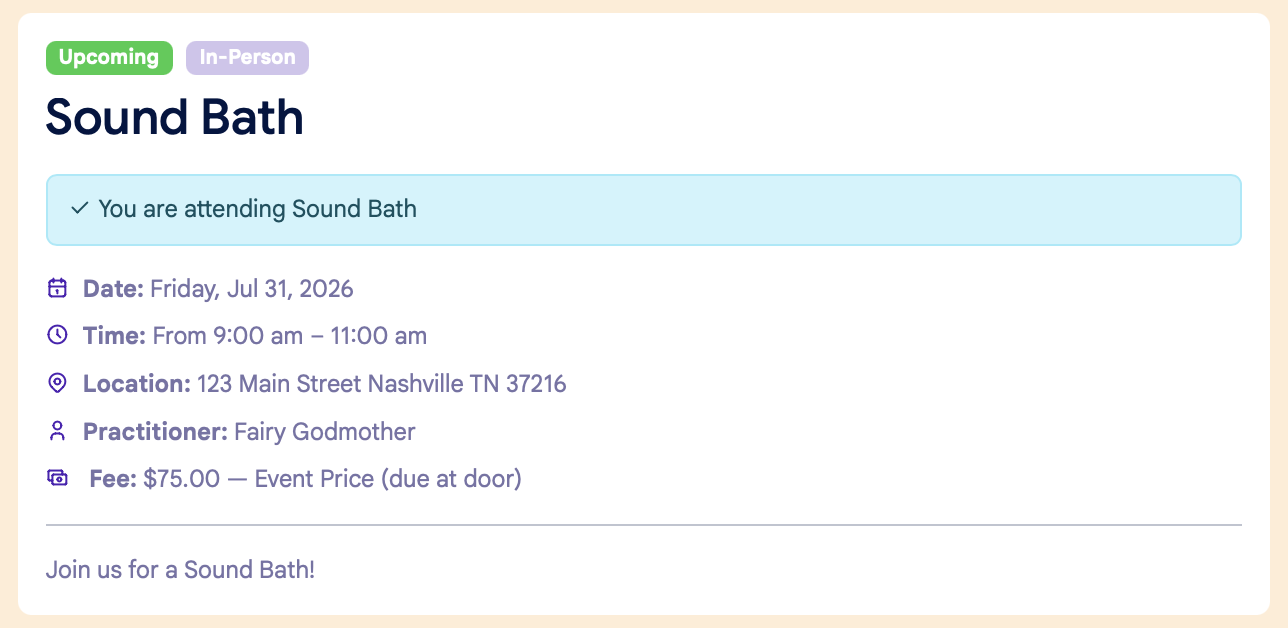
You can then collect payment when an attendees checks in for the event, like you would when checking in for an appointment.