Event Notifications
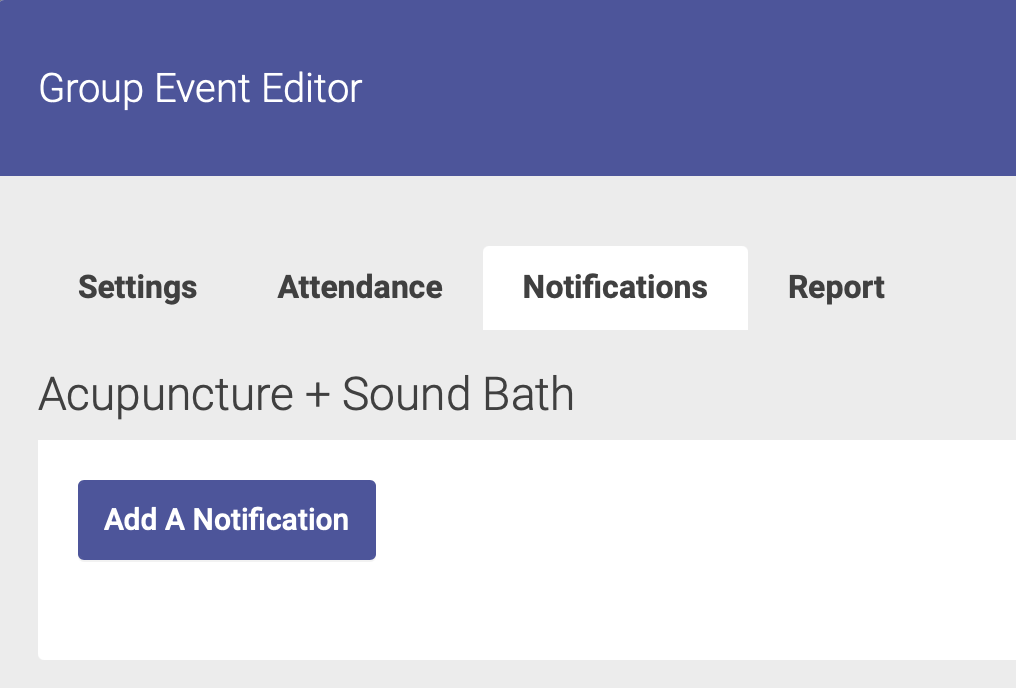
You can create notifications for your event by clicking on the Notifications tab on the Event Editor. Click Add A Notification to start:
Step 1: Choose Notification Date
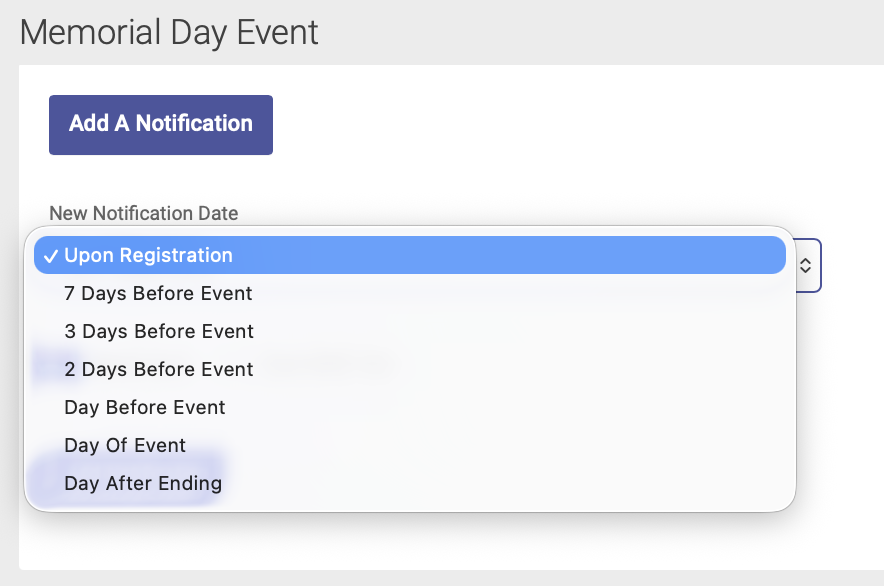
Select your notification date from the drop-down menu, then click the Add Notification button below the menu:
Step 2: Add Email and/or Text Message Details
Add your email subject and body text, and/or text message details:
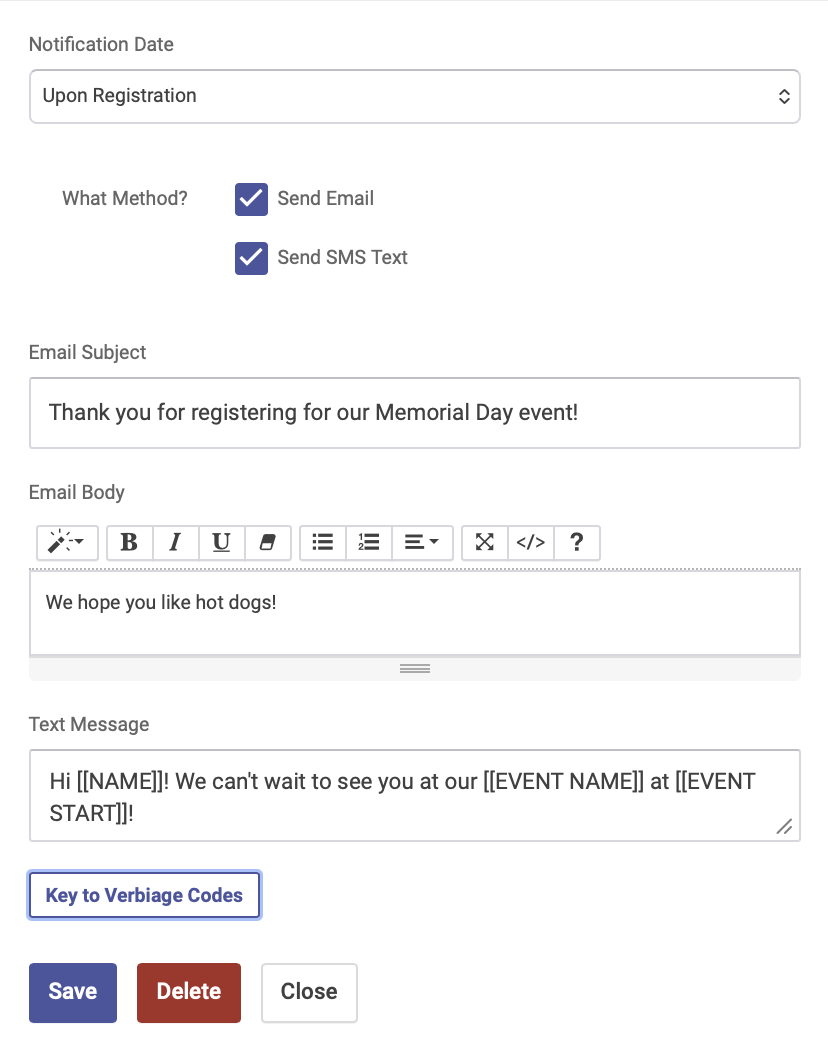
Click the Key to Verbiage Codes button to see your options for text message notifications:
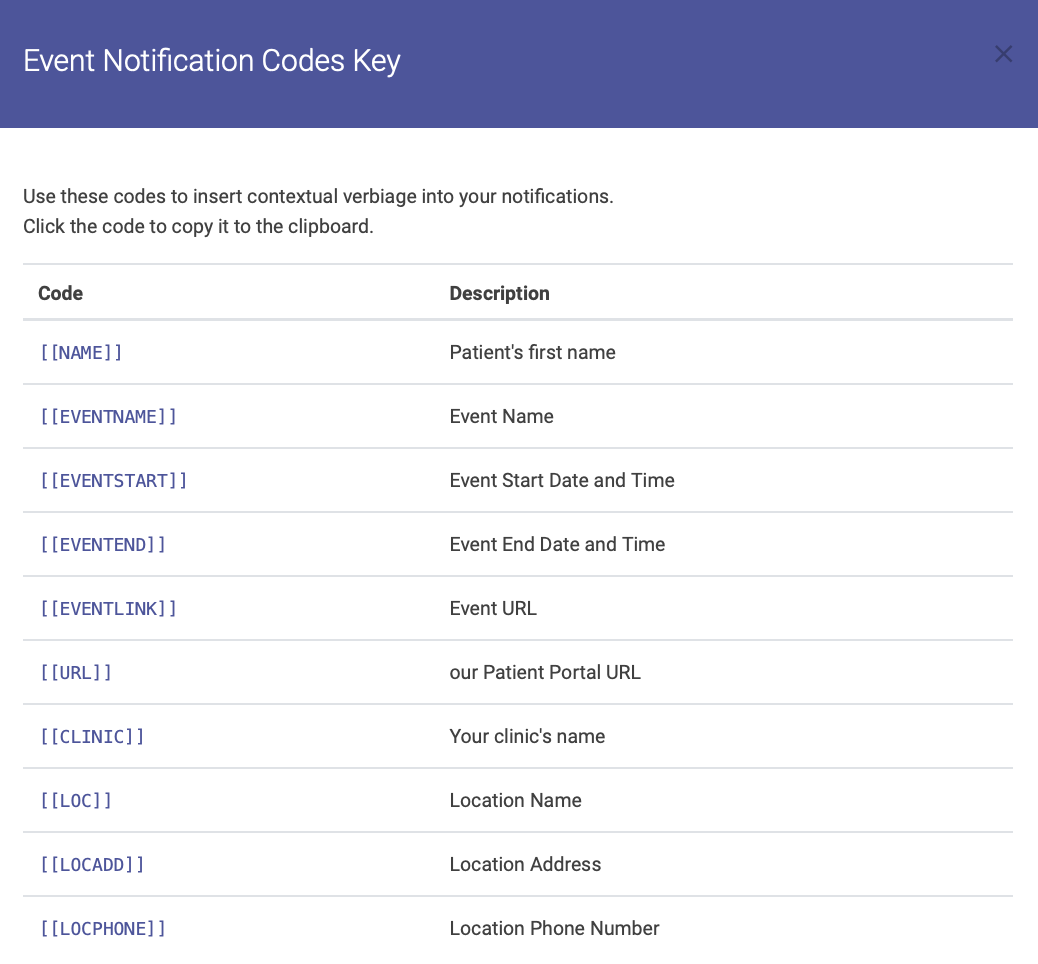
Click Save when you're finished to save your notifications.
Managing Notifications
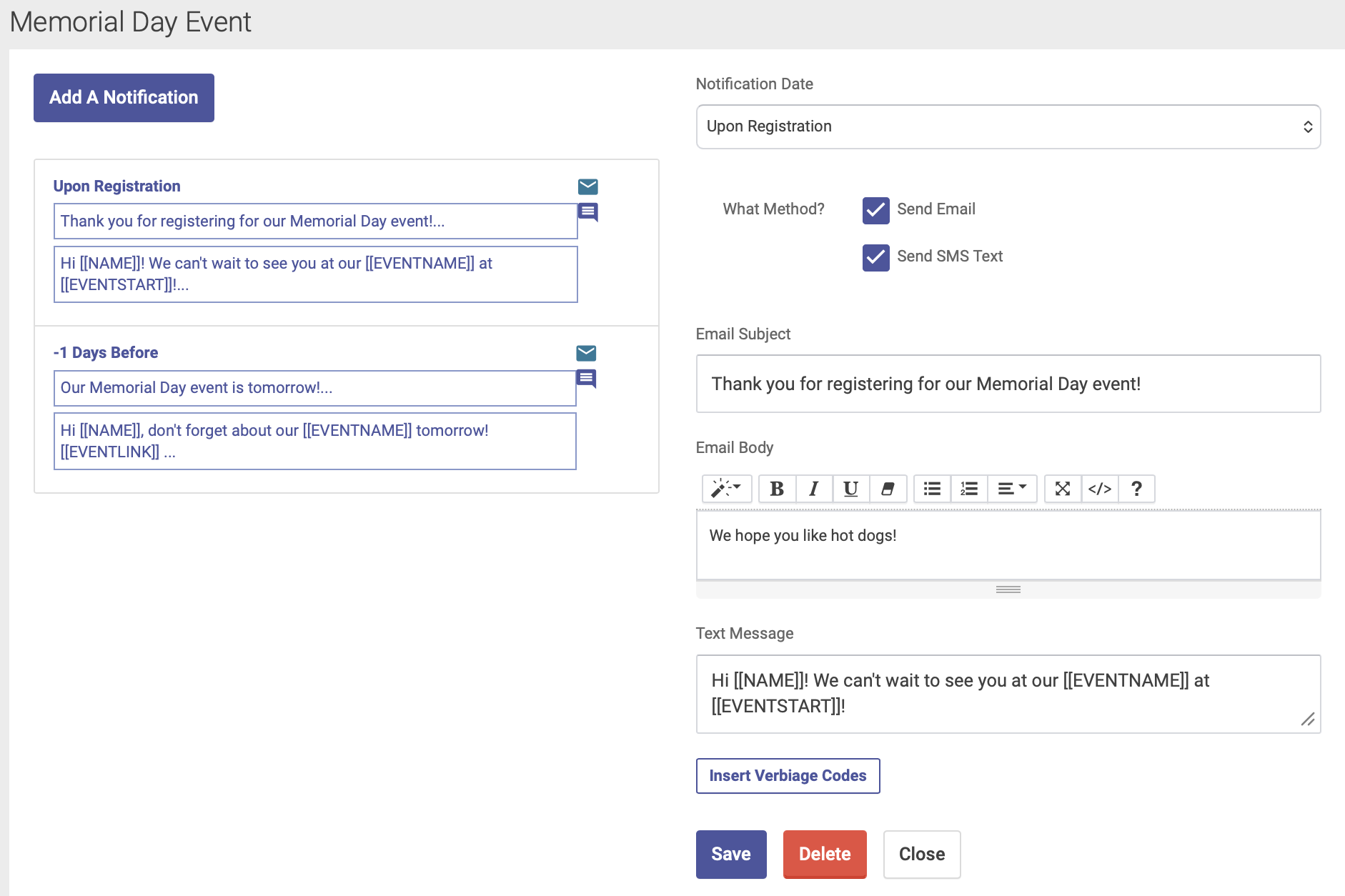
You can add multiple notifications per event. Your saved notifications will appear on the Notifications tab:
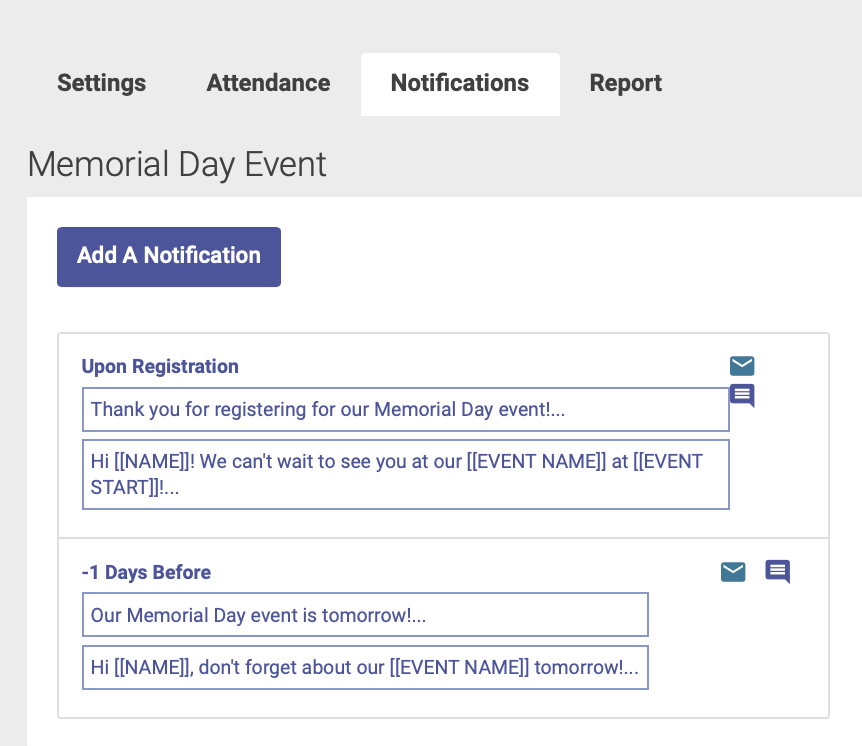
Editing or Deleting Notifications
To edit or delete a notification, click on the notification you wish to edit from your list. The notification details will appear on the right hand side of the page, and from there you can edit and save your notifications, or use the delete button at the bottom to delete a notification: