
Online Events
If you're scheduling an online or virtual event, you'll enter the Event URL on the Event Setup page.
How to Create an online Event
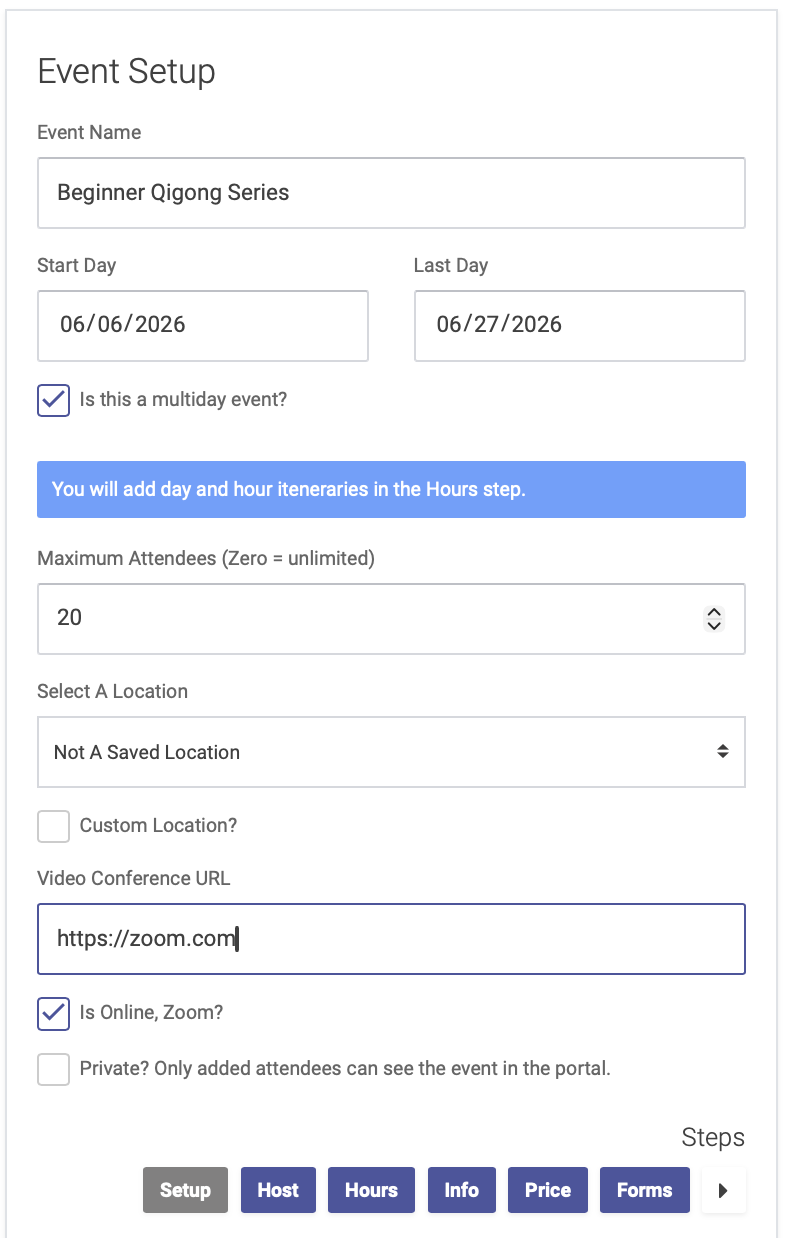
Check the box that says "Is Online, Zoom?" and then enter your video conferencing URL (Zoom link, Google meet, etc):
How to join an online Event
Attendees can join the online event by clicking the link, which will appear in several places:
All Events Page
The All Events page on the patient portal will list all upcoming events. Attendees can click "Join Online Event" to join:

Event URL
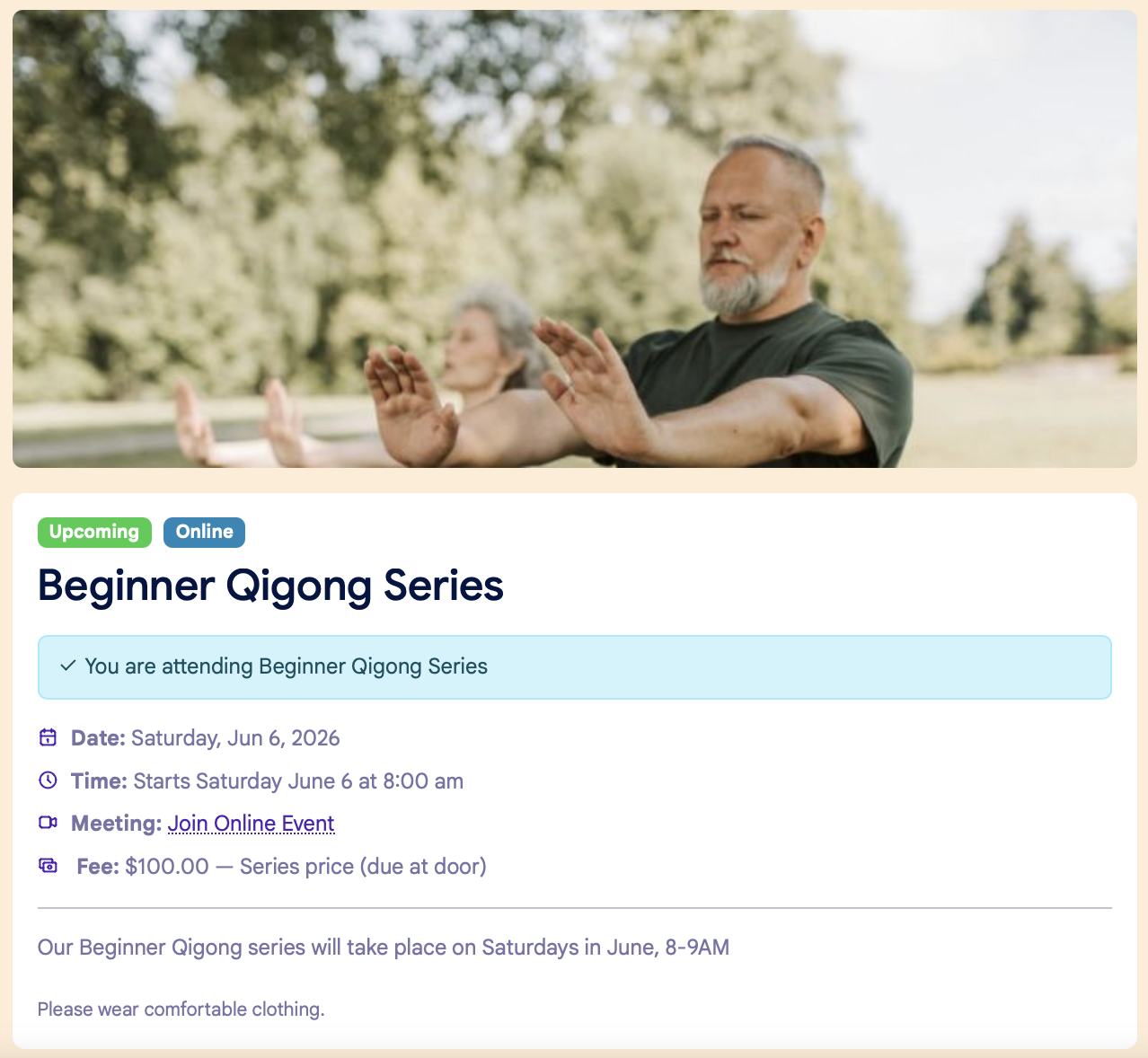
The individual event URL will also have an event link:
Email and SMS Notifications
We also recommend adding your video conferencing URL to your email and SMS reminders, which you can do from the Notifications tab for your Event.